
How to Track Fields with Mavic 3M in Wind
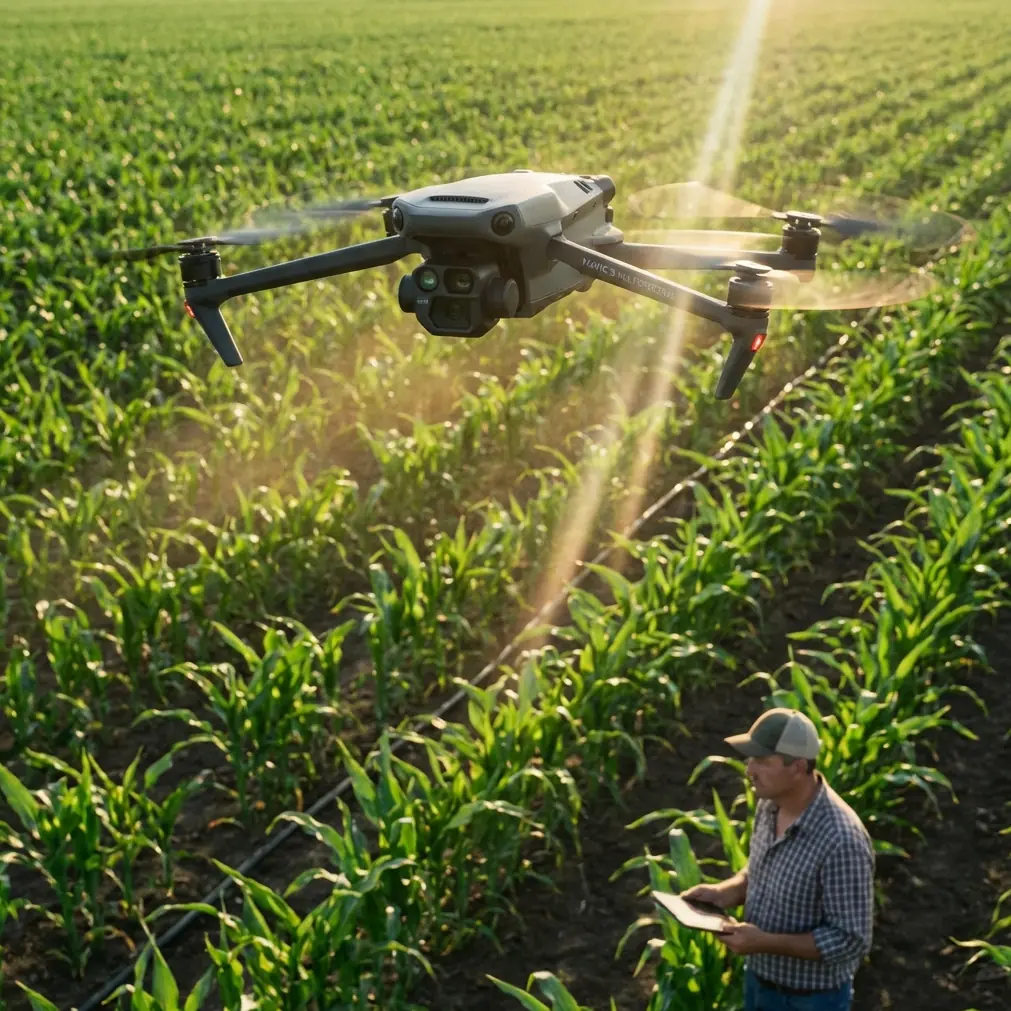
How to Track Fields with Mavic 3M in Wind
META: Learn how to track agricultural fields with the DJI Mavic 3M in windy conditions. Expert tutorial covers optimal altitude, RTK setup, and multispectral mapping tips.
By Dr. Sarah Chen, Agricultural Remote Sensing Researcher
TL;DR
- Fly at 35–50 meters AGL for optimal multispectral data capture when wind speeds exceed 5 m/s, balancing ground resolution with platform stability.
- Maintain an RTK Fix rate above 95% by configuring your base station upwind and within 5 km of your flight zone.
- Use 70% frontal and 65% lateral overlap to compensate for wind-induced drift and ensure seamless orthomosaic stitching.
- Calibrate your flight path perpendicular to the prevailing wind direction to minimize swath width distortion and spray drift interference on adjacent parcels.
Why Wind Makes Field Tracking So Challenging
Wind is the silent saboteur of precision agriculture mapping. A 10 m/s crosswind can shift a lightweight drone off its planned transect by several meters per pass, corrupting your multispectral indices and rendering an entire day's fieldwork unusable.
The DJI Mavic 3M was engineered to handle exactly this scenario. Its quad-camera multispectral imaging system paired with a mechanical stabilization platform and RTK positioning gives you centimeter precision even when conditions turn hostile.
This tutorial walks you through every step of configuring, launching, and post-processing a Mavic 3M field-tracking mission in sustained wind. By the end, you'll have a repeatable workflow that delivers research-grade NDVI, NDRE, and other vegetation index maps regardless of weather.
Step 1: Pre-Flight Wind Assessment and Go/No-Go Decision
Before you unpack your case, you need hard data on wind conditions. The Mavic 3M is rated for a maximum wind resistance of 12 m/s, but that spec represents survivability, not optimal data collection.
Here's the framework I use in my research programs:
- 0–5 m/s: Standard operating conditions. No modifications needed.
- 5–8 m/s: Moderate wind. Increase overlap, raise altitude slightly, and fly perpendicular to wind.
- 8–10 m/s: High wind. Apply all compensations described in this tutorial. Expect 15–20% reduction in battery endurance.
- 10–12 m/s: Marginal conditions. Only fly if mission-critical. Reduce coverage area per battery.
- Above 12 m/s: No-go. Ground the aircraft.
Use an anemometer at 2 meters above crop canopy height, not ground level. Wind speed at flight altitude can be 1.5–2x the reading at ground level due to reduced surface friction.
Expert Insight: The optimal flight altitude for windy field tracking is 35–50 meters AGL. Below 35 meters, turbulence generated by crop canopy and field edges creates chaotic micro-gusts that destabilize the platform far more than steady laminar wind at higher altitudes. Above 50 meters, your ground sampling distance (GSD) degrades past the point where early-stage stress detection becomes unreliable. The sweet spot—40 meters—gives you a GSD of approximately 2.1 cm/pixel on the multispectral sensors while keeping the aircraft above the worst turbulence layer.
Step 2: RTK Configuration for Centimeter Precision
Wind compensation is meaningless if your geotagging is inaccurate. The Mavic 3M supports RTK positioning through the DJI D-RTK 2 Mobile Station or NTRIP network corrections, and getting this right is non-negotiable for repeatable field tracking.
Base Station Placement
- Position the D-RTK 2 on a stable tripod at a known survey point or allow 15+ minutes of convergence for an autonomous base position.
- Place it upwind of your flight area. The datalink antenna performs best with line-of-sight, and wind-blown dust from freshly tilled fields can accumulate on the receiver if positioned downwind.
- Stay within 5 km of your farthest flight waypoint to maintain reliable corrections.
Achieving and Maintaining RTK Fix
An RTK Fix rate above 95% across your entire mission is the target. Anything below this introduces positional errors that compound across flights when you're doing temporal crop monitoring.
Key factors that threaten Fix rate in windy conditions:
- Aircraft banking angles during aggressive wind compensation can momentarily occlude satellite signals.
- Vibration from motor compensation can affect the GNSS antenna.
- Electromagnetic interference from high-voltage lines bordering agricultural fields.
Monitor Fix status in DJI Pilot 2 throughout the flight. If Fix drops to Float for more than 10 seconds, mark that transect for re-flight.
Step 3: Mission Planning for Wind Compensation
This is where most operators make their biggest mistakes. A standard grid pattern designed for calm conditions will produce unusable data in wind.
Flight Direction Strategy
Always plan your primary transects perpendicular to the prevailing wind direction. Here's why:
- When flying into or with the wind, groundspeed varies dramatically between headwind and tailwind legs. This creates inconsistent image overlap and uneven exposure.
- When flying across the wind, groundspeed remains relatively constant on both directions of each transect. The aircraft crabs into the wind, but the gimbal compensates for the yaw offset.
Overlap Settings
Standard multispectral mapping calls for 60% frontal / 50% lateral overlap. In wind above 5 m/s, increase these values:
| Wind Speed | Frontal Overlap | Lateral Overlap | Altitude (AGL) | Estimated GSD |
|---|---|---|---|---|
| 0–5 m/s | 60% | 50% | 30–40 m | 1.5–2.1 cm/px |
| 5–8 m/s | 70% | 60% | 35–45 m | 1.8–2.4 cm/px |
| 8–10 m/s | 75% | 65% | 40–50 m | 2.1–2.6 cm/px |
| 10–12 m/s | 80% | 70% | 45–50 m | 2.4–2.6 cm/px |
The extra overlap compensates for two problems: positional drift between planned and actual image locations, and swath width variation caused by altitude fluctuations as the aircraft fights gusts.
Speed Settings
Reduce flight speed from the default maximum. In 8+ m/s wind, cap your speed at 7 m/s groundspeed. This gives the flight controller more authority to maintain course accuracy and ensures the multispectral sensors capture without motion blur.
Pro Tip: Set your Mavic 3M to capture images by distance interval rather than time interval. Distance-triggered capture maintains consistent overlap regardless of groundspeed fluctuations caused by gusts. In DJI Pilot 2, configure this under the mapping mission's camera settings. For a 40-meter altitude with 70% frontal overlap, set the distance trigger to approximately 5.4 meters.
Step 4: Multispectral Sensor Calibration
The Mavic 3M carries four multispectral cameras (Green, Red, Red Edge, Near-Infrared) alongside a 20 MP RGB camera. Accurate radiometric calibration is essential for deriving meaningful vegetation indices.
Reflectance Panel Capture
- Capture your calibration panel immediately before and after each flight.
- In windy conditions, secure the panel with stakes or weights. A panel that shifts even 2 degrees from level introduces calibration error.
- Shield the panel from shadow. Your own shadow, the drone case, even tall grass—all contaminate the reading.
- Take the panel image at 1 meter altitude with the aircraft directly overhead. In wind, use the Mavic 3M's precision hover to stabilize before triggering the capture.
Sunlight Considerations
Wind often correlates with cloud movement. Rapidly changing illumination is a bigger threat to data quality than wind itself.
- Check for consistent cloud cover (either fully overcast or fully clear). Broken clouds create illumination variation across your field that no calibration routine can fully correct.
- The Mavic 3M's onboard sunlight sensor helps compensate for gradual illumination changes, but cannot correct for sharp cloud shadows crossing your field mid-flight.
Step 5: In-Flight Monitoring and Real-Time Adjustments
Once airborne, your job isn't done. Active monitoring separates professional-grade data from expensive noise.
Watch these parameters in DJI Pilot 2:
- RTK Fix status: Must remain Fixed (not Float or Single).
- Battery voltage: Wind increases power draw. Expect 15–25% less flight time compared to calm conditions.
- Gimbal pitch and roll: The mechanical gimbal should maintain nadir orientation. Excessive wind can push the aircraft to bank angles where the gimbal approaches its limits.
- Image capture indicator: Confirm consistent triggering. Missed frames in wind are common if your distance interval is too short for the conditions.
If battery voltage drops below 25% before your mission completes, land immediately. Do not push endurance in wind—the return-to-home flight will consume more power than predicted due to potential headwinds.
Step 6: Post-Processing Wind-Affected Data
Back at your workstation, wind-affected datasets require specific processing attention.
Software Workflow
Use Pix4Dfields, Agisoft Metashape, or DJI Terra. The key settings for wind-affected data:
- Enable full image matching rather than fast matching. Wind-displaced images need more tie points.
- Set point cloud densification to high. Sparse point clouds from wind-affected datasets tend to produce noisy DSMs.
- Apply radiometric correction using your panel images. Verify the correction by checking bare-soil reflectance values—they should remain consistent across the entire field.
Quality Assessment Checklist
Before trusting your vegetation index maps, verify:
- Orthomosaic completeness: No gaps or blurred regions.
- GCP/checkpoint residuals: Should be below 5 cm horizontal and 10 cm vertical with RTK-corrected imagery.
- NDVI range: Healthy crop canopy should read 0.7–0.9; bare soil 0.1–0.2. Values outside expected ranges suggest calibration failure.
Common Mistakes to Avoid
- Flying parallel to wind instead of perpendicular. This creates asymmetric overlap between headwind and tailwind legs, leaving gaps in coverage.
- Using time-interval capture in gusty conditions. Groundspeed variation causes overlap inconsistency. Switch to distance-interval triggering.
- Ignoring the IPX6K rating limitations. The Mavic 3M carries an IPX6K ingress protection rating, meaning it resists high-pressure water spray. This does not mean it should be flown in rain. Wind often precedes storm fronts—check your radar.
- Skipping reflectance panel calibration because "it's too windy to set up." Uncalibrated multispectral data cannot be compared across dates, destroying the entire purpose of temporal field tracking.
- Forgetting nozzle calibration on adjacent spray operations. If a neighboring field is being treated, spray drift in wind can coat your sensors, affecting spectral readings. Coordinate with operators and verify nozzle calibration standards are maintained nearby.
- Assuming calm-condition overlap is sufficient. A 10% increase in both frontal and lateral overlap is the minimum adjustment for winds above 5 m/s.
Frequently Asked Questions
Can the Mavic 3M produce reliable multispectral data in winds above 8 m/s?
Yes, but with significant workflow modifications. At 8–10 m/s, you must increase overlap to 75/65%, raise altitude to 40–50 meters, reduce flight speed, and use distance-interval capture. Data quality will be slightly reduced compared to calm conditions, but research-grade vegetation indices are absolutely achievable if you follow the calibration and processing protocols outlined above. Above 10 m/s, data reliability drops sharply and missions should only proceed if time-critical.
How does wind affect battery life on the Mavic 3M, and how should I plan coverage accordingly?
Expect 15–25% reduction in flight endurance at wind speeds of 5–10 m/s. The Mavic 3M's rated flight time of approximately 43 minutes (standard conditions) drops to roughly 32–36 minutes in sustained wind. Plan your coverage area per battery accordingly—reduce by 20–30% compared to calm-day planning. Always land with at least 25% battery remaining, as return-to-home flight paths may face unpredictable headwinds.
What's the relationship between swath width and wind-induced altitude variation?
Swath width is directly proportional to altitude. At 40 meters AGL with the multispectral sensors, each image covers approximately 44 meters across-track. A gust that pushes the aircraft 3 meters lower reduces that swath to roughly 40.7 meters—a 7.5% reduction. If your lateral overlap is set to only 50%, this altitude dip can create coverage gaps between adjacent transects. That's precisely why increasing lateral overlap to 60–65% in wind is critical: it builds in a buffer against altitude-induced swath width variation.
Ready for your own Mavic 3M? Contact our team for expert consultation.