
Mavic 3M for Dusty Highway Survey Work: A Practical
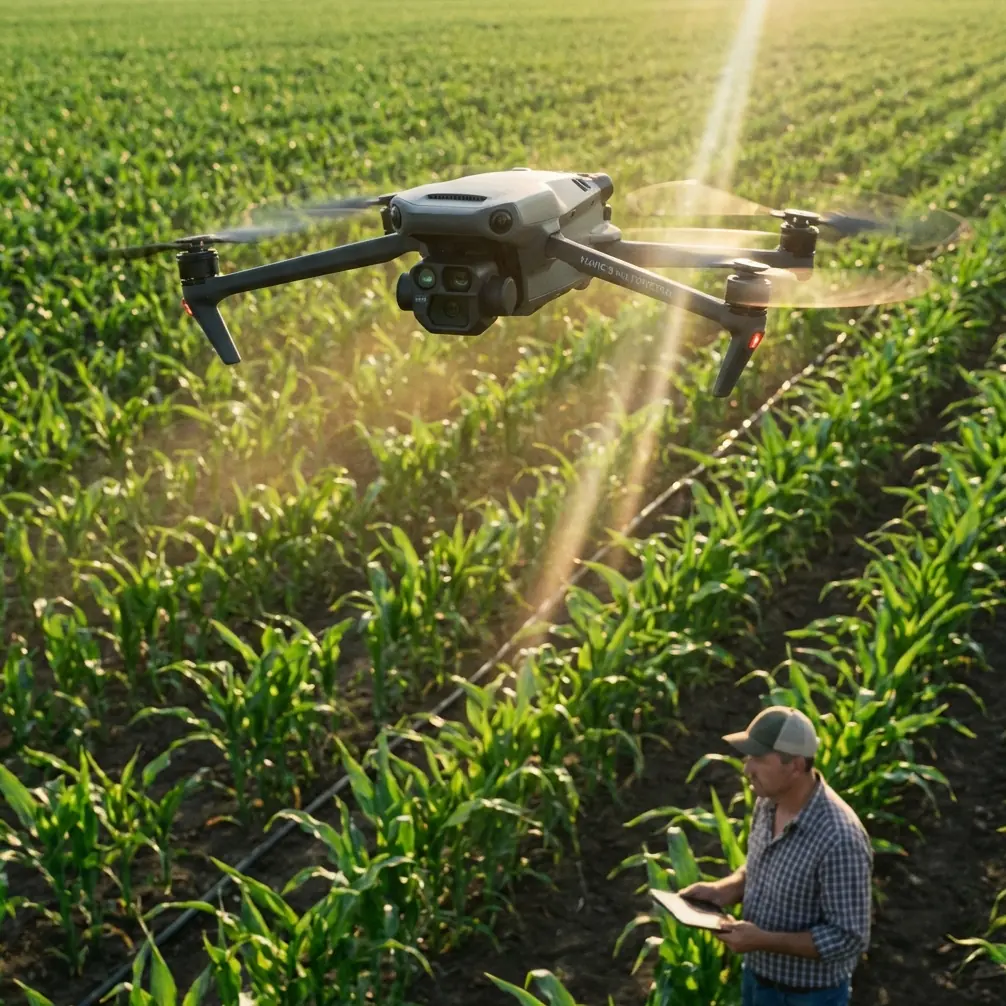
Mavic 3M for Dusty Highway Survey Work: A Practical Workflow That Actually Holds Up
META: Expert tutorial on using the Mavic 3M for dusty highway surveying, with multispectral workflow tips, ArcGIS processing guidance, RTK-minded field practice, and data-sharing methods that support real infrastructure operations.
Highway survey work looks simple on a map. In the field, it rarely is.
Dust hangs in the air after each passing truck. Long corridors amplify signal and coordination problems. Crews need fast turnarounds, but the value of the mission depends less on the flight itself than on what happens after landing: image stitching, point verification, GIS integration, and getting the result into the hands of engineers before the site conditions change again.
That is where the Mavic 3M becomes interesting. Not because it is a generic “drone solution,” but because it sits at the intersection of fast field collection and data products that can feed a serious geospatial workflow. For dusty highway surveying, especially where vegetation encroachment, slope condition, drainage impact, and corridor change detection matter, the real question is not whether the aircraft can fly the route. The question is whether the full chain—from capture to interpretation—can stay efficient and reliable.
This guide looks at that chain through a practical lens.
Why the Mavic 3M fits corridor work better than many teams realize
The Mavic 3M is often discussed through an agriculture lens because multispectral sensing naturally invites crop analysis. That framing is too narrow for infrastructure crews.
On highway jobs, multispectral data can add another layer of reading beyond standard RGB imagery. Dusty corridors often include disturbed soils, stressed roadside vegetation, drainage channels, revegetation zones, cut-and-fill slopes, and median or shoulder plantings that need monitoring. A multispectral payload does not just make the map look different. It can expose subtle spectral differences that ordinary visible imagery tends to flatten.
That matters because the reference material on hyperspectral and vegetation analytics points to something fundamental: fine spectral variation is what allows sensors to detect changes in vegetation biophysical and biochemical status. The source document explains that remote sensing can be used to estimate plant-related chemical indicators such as chlorophyll and nutrients, and it specifically highlights chlorophyll as a meaningful variable for evaluating productivity, health, and carbon-related ecosystem behavior.
For a highway survey team, that scientific point has a very practical consequence. When you are inspecting roadside restoration areas, erosion-control planting, tree belts near interchanges, or vegetation condition around drainage assets, a multispectral platform can help distinguish healthy growth from stress earlier than a simple visual check. You are not flying to study forests in the academic sense. You are using the same spectral logic to improve maintenance decisions along transport corridors.
Dust changes how you should plan the mission
Dusty environments create two kinds of degradation: operational and analytical.
Operationally, takeoff and landing zones become the first weak link. Dust ingestion risk rises. Visual awareness near the ground gets worse. The aircraft may be fully capable, but the workflow around it is where avoidable errors start.
Analytically, dust affects image quality and consistency. Corridor mapping relies on overlap, clean texture, and stable exposure. A haze of fine particulates can soften scene contrast and make later stitching less forgiving.
My recommendation is simple: think less about “one long flight” and more about clean segments.
Break the corridor into shorter blocks with deliberate launch points. Put your ground team where traffic turbulence and loose shoulder material are minimized. If you have a vehicle, use it as a windbreak when setting up the aircraft, but keep GNSS visibility clear. Avoid launching directly from powder-dry gravel if a mat or hard case lid can provide a cleaner surface.
And because long corridor flights can tempt operators to push range assumptions, antenna orientation becomes more important than people admit.
Antenna positioning advice for maximum practical range
If you want stable control and data link performance over a highway line, stop aiming the antenna tips at the aircraft.
That is one of the most common habits I still see in the field. For most controller antenna designs, the strongest radiation pattern extends broadside from the antenna surface, not off the tip. In practical terms, you usually want the flat faces of the antennas oriented toward the drone’s position, while keeping the controller itself comfortably aligned with the route. As the aircraft moves down the corridor, adjust your body position and controller angle gradually instead of making abrupt, exaggerated movements.
For highway work, the bigger point is this: range is rarely limited by raw radio capability alone. It is usually degraded by geometry, roadside obstacles, vehicle interference, and poor operator posture. Stand where you maintain a clean visual line above barriers and parked equipment. Do not let your own truck become the thing blocking the signal path.
If you want a field checklist for controller posture and corridor setup, this quick WhatsApp line is useful: message our flight team here.
Multispectral data is only valuable if your back-end can keep up
A lot of teams spend heavily on capture quality, then choke on processing discipline.
The ArcGIS integration reference is useful here because it reminds us that drone operations are not just about flying. They are about building a field-to-office system. One document specifies a surprisingly modest baseline for an office machine: a CPU better than 4 cores, at least 4G of memory, and at least 500G of storage. That is not an aspirational workstation spec. It is a minimum threshold for getting routine processing done.
For dusty highway survey jobs, the significance is operational. If your office laptop barely meets those thresholds, it may be enough for light orthomosaic work and review, but it will not feel comfortable once corridor datasets accumulate, especially when multiple staff are trying to inspect imagery, annotate defects, and manage GIS layers at the same time. Storage fills quickly. Temporary files grow. Review cycles slow down.
The same source also notes that many photogrammetry tools with GPU acceleration tend to support N-card graphics better than A-card options. That detail matters more than it sounds. If you are selecting a processing machine specifically for corridor orthomosaics and repeated turnaround work, graphics compatibility can affect stability and throughput just as much as raw specifications on paper.
In short: the Mavic 3M can collect fast. Your office hardware must be chosen so it does not erase that advantage.
A field-to-office workflow that makes sense for highway projects
Here is the workflow I recommend for Mavic 3M corridor survey operations where dust, speed, and reporting all matter.
1. Define the corridor by decisions, not distance
Do not start with “How many kilometers can we cover?” Start with “What decisions must this data support?”
If the client needs surface context, shoulder condition, drainage paths, vegetation stress near embankments, and progress tracking around adjacent construction, that defines the flight design. Multispectral capture should be aligned to those needs, not treated as a bonus layer.
2. Fly in segments with clean overlap discipline
Dust, changing light, and vehicle motion around the site can introduce inconsistency. Segmenting the route lets you preserve quality and repeat suspect sections quickly if needed. Corridor jobs reward discipline more than ambition.
3. Process first-pass imagery quickly
The ArcGIS reference specifically identifies Esri Drone2Map as a lightweight UAV processing tool with multithreading, straightforward operation, rich output types, and easy publishing. The operational significance is obvious: if your team needs to stitch returned imagery into high-definition orthophotos without building an overly complex processing stack, that kind of tool shortens the gap between landing and review.
For highway work, that gap is crucial. Site conditions may change daily. A drainage blockage visible after a dust storm or heavy vehicle cycle may not present the same way later in the week.
4. Use GIS, not folders, to manage interpretation
Another detail from the source deserves more attention than it usually gets. ArcMap’s ability to place geotagged photos onto the map and combine UAV imagery, sample plots, parcels, and interpretation photos into one working environment is exactly what many corridor teams need.
Why? Because highway inspection is not a photo album exercise. It is spatial reasoning. Engineers want to connect an image to a station, a shoulder segment, a culvert, a slope toe, or a vegetation treatment zone. Once data lives inside GIS, it becomes easier to summarize by district, by maintenance section, or by administrative boundary.
The document also notes that ArcMap can be customized to produce statistical summaries and reports for multiple sample areas within an administrative region. That is especially relevant if a transport authority is reviewing multiple highway sections under one program rather than one isolated survey.
5. Share data across field and office without creating version chaos
ArcGIS Portal is described in the reference as a spatial data-sharing portal that supports collaboration inside and outside the organization, improving data use efficiency, shortening sharing cycles, and lowering information-sharing costs.
That sounds abstract until you put it into a real highway workflow.
Imagine a corridor survey where field crews collect data in the morning, office staff begin interpretation by midday, vegetation specialists review stress signatures in the afternoon, and a regional supervisor checks progress remotely. Without a portal-based approach, teams end up passing files around, duplicating exports, and arguing over which mosaic is current. With a shared portal environment, the survey becomes a coordinated operational picture rather than a pile of disconnected deliverables.
For Mavic 3M users, this is one of the strongest arguments for treating the aircraft as one node in a system, not the system itself.
What multispectral adds to highway surveying beyond pretty layers
Let’s get more concrete.
The hyperspectral source explains that when spatial resolution gets too low—specifically above 20 m—pixel mixing becomes a problem for canopy-related measurements such as closure. That detail highlights why drone-scale collection is so useful. Highway corridors often contain narrow, fragmented, or linear features: tree rows, median plantings, slope vegetation, ditch growth, and patchy restoration zones. Satellite products can miss nuance there because mixed pixels blur categories together.
A drone platform operating at much finer spatial resolution preserves those small transitions.
That means the Mavic 3M can support use cases such as:
- spotting stressed vegetation along erosion-control areas before failure becomes visually obvious
- comparing revegetation performance across embankment sections
- monitoring tree belts or buffer strips affected by dust deposition, runoff, or compaction
- documenting ecological condition near road expansions or utility crossings
The key is not to overstate the science. You are not replacing lab analysis. You are gaining a spatially rich screening layer that helps prioritize inspections and interventions.
A note on RTK-minded discipline in corridor jobs
The context around this piece mentions RTK fix rate and centimeter precision, and while the source set here does not provide hard RTK specifications, the underlying lesson still applies: corridor jobs expose positioning sloppiness quickly.
Even with high-quality onboard positioning, crews should watch initialization quality, maintain clear sky view at setup, and verify spatial consistency between segments. If one launch point is partially obstructed by overpasses, heavy machinery, or roadside infrastructure, positional confidence can drift from what the team assumes in the moment.
For engineers, “close enough” is a dangerous phrase. On long linear assets, small errors accumulate into bad decisions about offsets, encroachments, and maintenance boundaries.
Where the Mavic 3M really earns its place
The strongest case for the Mavic 3M in dusty highway surveying is not that it can replace every other tool on site. It cannot.
Its value is that it compresses the capture-to-analysis cycle while giving teams more environmental intelligence than RGB-only workflows. Pair that with a sensible ArcGIS pipeline—fast orthomosaic generation in Drone2Map, map-based interpretation in ArcMap, and collaborative publishing through ArcGIS Portal—and you get something much more useful than a drone flight. You get an operational mapping system.
That matters even more in regions where low-altitude economic infrastructure is accelerating. One recent policy action in Shandong, issued on April 14, 2024, laid out an action plan across 20 key sectors and explicitly called for signature low-altitude application scenarios, including a Yantai-to-Dalian cross-sea low-altitude logistics corridor. On the surface, that sounds far removed from a dusty highway survey. It is not.
It signals a broader shift: low-altitude aviation is being treated as working infrastructure. Once that happens, expectations rise. Data timeliness, route efficiency, interoperability, and repeatable workflows stop being optional. Whether the task is logistics, transport corridor inspection, or environmental monitoring, the operators who win are the ones who can integrate aircraft, processing, and spatial decision-making without friction.
That is exactly the lens through which the Mavic 3M should be judged.
Not as a standalone gadget. As part of a professional corridor intelligence workflow.
Ready for your own Mavic 3M? Contact our team for expert consultation.