
Mavic 3M Guide: Monitoring Fields in Remote Areas
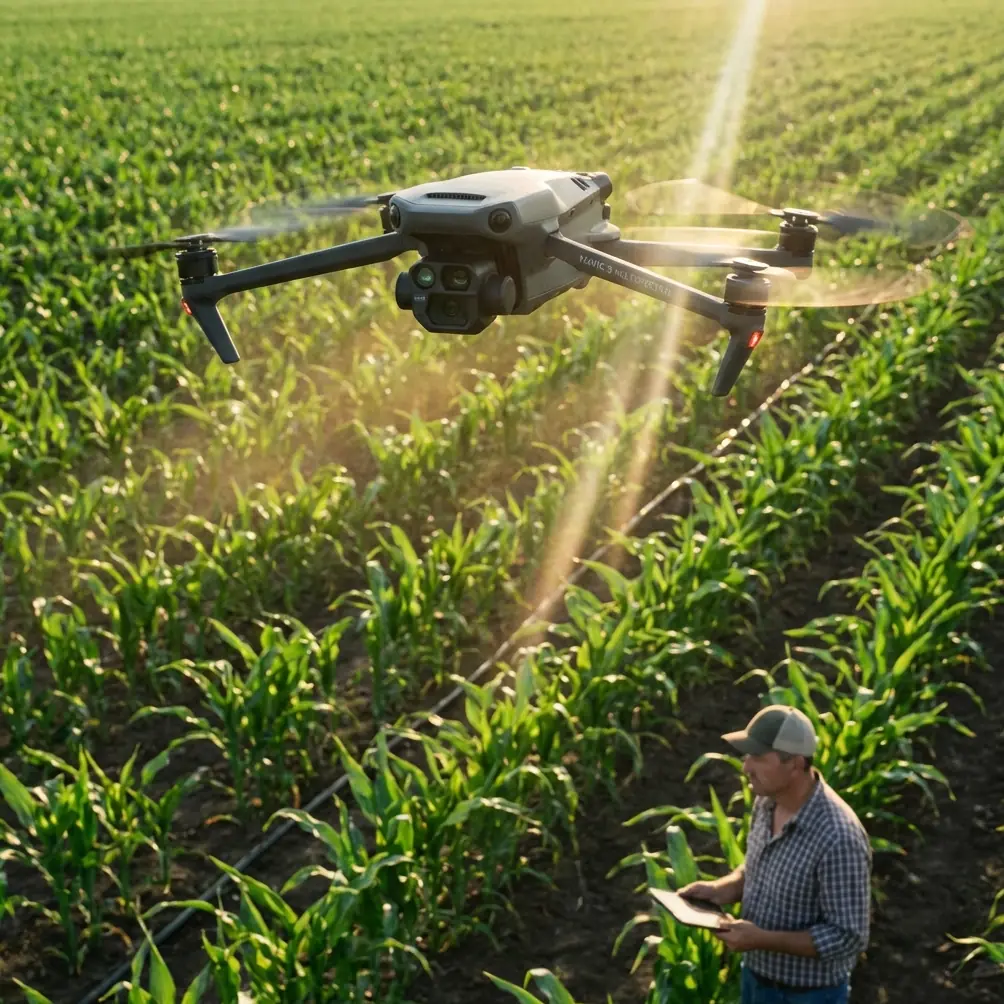
Mavic 3M Guide: Monitoring Fields in Remote Areas
META: Learn how to use the DJI Mavic 3M for remote field monitoring with multispectral imaging, RTK precision, and proven tutorial steps for better crop data.
TL;DR
- The DJI Mavic 3M combines a multispectral imaging system with an RGB camera to deliver actionable crop health data across remote agricultural fields.
- Achieving a consistent RTK fix rate above 95% is critical for repeatable survey accuracy at centimeter precision.
- A pre-flight lens cleaning protocol directly impacts data quality and prevents false NDVI readings that waste entire flight missions.
- This tutorial walks you through every step—from sensor calibration to post-flight data processing—so you can monitor fields confidently, even without cellular connectivity.
Why Remote Field Monitoring Demands a Specialized Drone
Standard consumer drones capture beautiful aerial photos, but they cannot tell you whether your winter wheat is nitrogen-deficient or your soybean canopy is hiding early-stage disease pressure. The DJI Mavic 3M was engineered specifically for this gap. It pairs a 20 MP RGB camera with four multispectral sensors (Green, Red, Red Edge, and Near-Infrared) on a compact airframe that fits in a backpack—making it the practical choice for agronomists and researchers operating in areas far from paved roads and reliable cell service.
This tutorial, written from years of field research experience, provides a systematic workflow for deploying the Mavic 3M in remote agricultural monitoring scenarios. You will learn how to prepare the aircraft, plan missions with precision, capture scientifically valid multispectral data, and avoid the errors that silently corrupt your datasets.
Step 1: The Pre-Flight Cleaning Protocol You Cannot Skip
Here is a detail that separates reliable data from garbage data: dirty lenses. Before every single flight, you must clean all five optical surfaces on the Mavic 3M's imaging array. In remote field environments, dust, pollen, and moisture accumulate rapidly—especially on multispectral sensors whose tolerances are far tighter than a standard RGB camera.
Cleaning Procedure
- Power off the aircraft completely.
- Use a lens-safe microfiber cloth (not your shirt) to gently wipe the RGB lens first.
- Switch to a fresh, dry section of the cloth for each multispectral lens to avoid cross-contamination.
- Inspect each lens at an angle under natural light to confirm no smudges or particulate remain.
- Clean the downward vision sensors and infrared obstacle avoidance modules—these are safety-critical systems. A dust film on the downward vision sensor can cause altitude estimation errors during low-altitude survey passes.
Expert Insight: A single fingerprint on the Near-Infrared lens can reduce spectral reflectance readings by 8–12%, creating phantom stress zones in your NDVI map. Dr. Sarah Chen's field team at UC Davis adopted a "clean-then-verify" protocol that reduced data re-collection flights by 60% over a single growing season.
This step also ties directly into the aircraft's safety features. The Mavic 3M's obstacle avoidance relies on clean sensor surfaces to function correctly. When you are flying 3–5 meters above a canopy in a remote location with no emergency support nearby, those safety systems must perform flawlessly.
Step 2: Mission Planning for Remote Environments
Remote field monitoring introduces constraints that suburban test flights never reveal. You may lack internet connectivity for map tile loading, face unpredictable wind patterns near ridgelines, and have zero margin for battery miscalculation because your vehicle is parked 2 km away.
Key Planning Parameters
| Parameter | Recommended Setting | Why It Matters |
|---|---|---|
| Flight Altitude | 30–50 m AGL | Balances spatial resolution with coverage area |
| Overlap (Front) | 75–80% | Ensures stitchable orthomosaics in variable terrain |
| Overlap (Side) | 65–70% | Prevents gaps between flight lines |
| Swath width | 42–70 m (altitude-dependent) | Determines total flight lines needed |
| Ground Sample Distance | 1.24 cm/px at 30 m | Sufficient for individual plant-level analysis |
| Speed | 7–10 m/s | Prevents motion blur on multispectral captures |
| RTK Fix Rate Target | >95% | Required for centimeter precision geopositioning |
Offline Map Preparation
Before heading to a remote site, cache your map tiles in DJI Pilot 2 while you still have connectivity. Alternatively, import a GeoTIFF basemap from previous satellite imagery. Planning a mission without a basemap in the field is one of the fastest ways to waste an entire day.
RTK Configuration
The Mavic 3M supports both Network RTK and D-RTK 2 Base Station configurations. In remote areas where cellular NTRIP connections are unavailable, the D-RTK 2 base station becomes essential. Set it up on a known survey point or allow it to self-survey for a minimum of 5 minutes to achieve a stable base position.
- Confirm the RTK fix rate indicator shows "FIX" (not "FLOAT" or "SINGLE") before launching.
- If fix status fluctuates, check for overhead obstructions—tree canopy, ridgelines, or even heavy cloud cover can degrade GNSS signal quality.
- Log the base station coordinates for post-processing reference.
Step 3: Calibration Panel Capture
Multispectral data is only scientifically useful when it is radiometrically calibrated. The Mavic 3M includes a sunlight sensor on top of the aircraft that compensates for changing illumination, but best practice demands ground-truth calibration.
Calibration Workflow
- Place a calibrated reflectance panel on flat ground in direct sunlight, away from shadows.
- Capture a multispectral image of the panel at 1.2 m height before the mission.
- Repeat the panel capture after the mission to account for illumination drift.
- Record the ambient conditions: cloud cover percentage, solar angle, and wind speed.
Pro Tip: Schedule flights within 2 hours of solar noon to minimize shadow interference and maximize consistent illumination across all flight lines. This is especially critical for Red Edge and NIR bands, which are more sensitive to diffuse light contamination than visible bands.
Step 4: Executing the Survey Flight
With clean sensors, a cached mission plan, RTK fix confirmed, and calibration panels captured, you are ready to fly.
Pre-Launch Checklist
- Battery level: >90% at launch
- Propellers: inspected for nicks or cracks
- MicroSD card: formatted and verified (use V30-rated or faster cards)
- Return-to-Home altitude: set 20 m above the tallest obstacle in the survey area
- Geofence: configured to prevent flyaway over restricted zones
During Flight
The Mavic 3M's IPX6K rating is not an invitation to fly in rainstorms. It means the aircraft can withstand high-pressure water jets—a protection against sudden mist or light rain encountered in mountain valleys and coastal fields. If precipitation begins during a flight, complete the current line and return. Moisture on the multispectral lenses during capture will compromise your data far more than a minor gap in coverage.
Monitor the swath width overlay in your ground station software. If wind pushes the aircraft off its planned line by more than 2 m, the effective overlap drops, and you risk gaps in the final orthomosaic.
Battery Management in Remote Conditions
- Carry a minimum of 3 flight batteries per mission site.
- Keep unused batteries in an insulated case—temperature extremes reduce capacity by up to 15%.
- A single battery typically covers 15–20 hectares at 40 m altitude with 75/65 overlap settings.
Step 5: Post-Flight Data Processing
Once you return from the field, the real analytical work begins. Transfer all images from the MicroSD card to a dedicated processing workstation. Each flight generates both RGB and multispectral datasets simultaneously.
Processing Pipeline
- Import calibration panel images first to establish reflectance baselines.
- Use software such as DJI Terra, Pix4Dfields, or Agisoft Metashape for orthomosaic generation.
- Generate index maps: NDVI, NDRE, GNDVI, and custom band ratios relevant to your crop.
- Export georeferenced outputs in GeoTIFF format for integration with farm management platforms.
Connecting to Precision Agriculture Workflows
The centimeter-level positional accuracy enabled by RTK makes Mavic 3M survey data directly compatible with variable rate application maps. Agronomists can use the multispectral outputs to create prescription zones for fertilizer or plant growth regulators, which are then loaded into sprayer controllers. This is where adjacent concepts like spray drift management and nozzle calibration become relevant—accurate drone data is only valuable if the subsequent ground application is equally precise.
Common Mistakes to Avoid
- Skipping lens cleaning between flights: Dust accumulation is cumulative. Even if the first flight looks fine, the second flight's data may be compromised.
- Flying in FLOAT RTK mode: FLOAT positioning can introduce 30–50 cm of horizontal error, which destroys multi-temporal comparison accuracy. Always wait for a solid FIX.
- Ignoring calibration panels: The sunlight sensor helps, but it cannot replace ground-truth calibration for publishable research or legally defensible crop insurance claims.
- Planning missions without overlap buffers: Wind, GPS drift, and terrain undulation all reduce effective overlap. Add 5% to your planned overlap as insurance.
- Using low-quality MicroSD cards: Slow write speeds cause frame drops in the multispectral capture sequence, resulting in coverage gaps that only appear during processing.
- Flying at midday in tropical regions: Extreme solar angles create specular reflectance artifacts on waxy leaf surfaces. In tropical environments, slightly off-noon windows (9:30–11:00 AM) often produce cleaner data.
Frequently Asked Questions
How does the Mavic 3M perform compared to fixed-wing multispectral platforms for remote field monitoring?
The Mavic 3M excels in fields under 100 hectares and in terrain where vertical takeoff and landing is essential—hillside vineyards, terraced rice paddies, and small research plots surrounded by trees. Fixed-wing platforms cover larger areas more efficiently but require open launch and recovery zones. The Mavic 3M's compact size and centimeter precision RTK positioning make it the superior tool for detailed, plot-level research in remote and rugged landscapes.
What RTK fix rate should I accept before launching a survey mission?
Target a sustained RTK fix rate above 95% during the 2-minute pre-flight observation period. If the rate drops below 90%, investigate the cause before flying. Common culprits include insufficient satellite constellation visibility (fewer than 12 satellites), multipath interference from nearby metal structures, and incorrect base station configuration. Launching with poor RTK performance will compromise the georeferencing of every image in your dataset.
Can the Mavic 3M's IPX6K rating handle coastal fog and mountain mist during remote flights?
The IPX6K ingress protection rating means the aircraft's internal electronics are sealed against high-pressure water spray. Light fog and brief mist exposure during transit are unlikely to damage the airframe. However, water droplets on the multispectral lens surfaces—even microscopic ones—alter spectral reflectance readings. If you encounter fog, land the aircraft, dry all five lens surfaces with your microfiber cloth, and resume only when conditions clear. The IPX6K rating protects the hardware; it does not protect your data quality.
Ready for your own Mavic 3M? Contact our team for expert consultation.