
Mavic 3M on Mountain Highways: a Field Report on Image
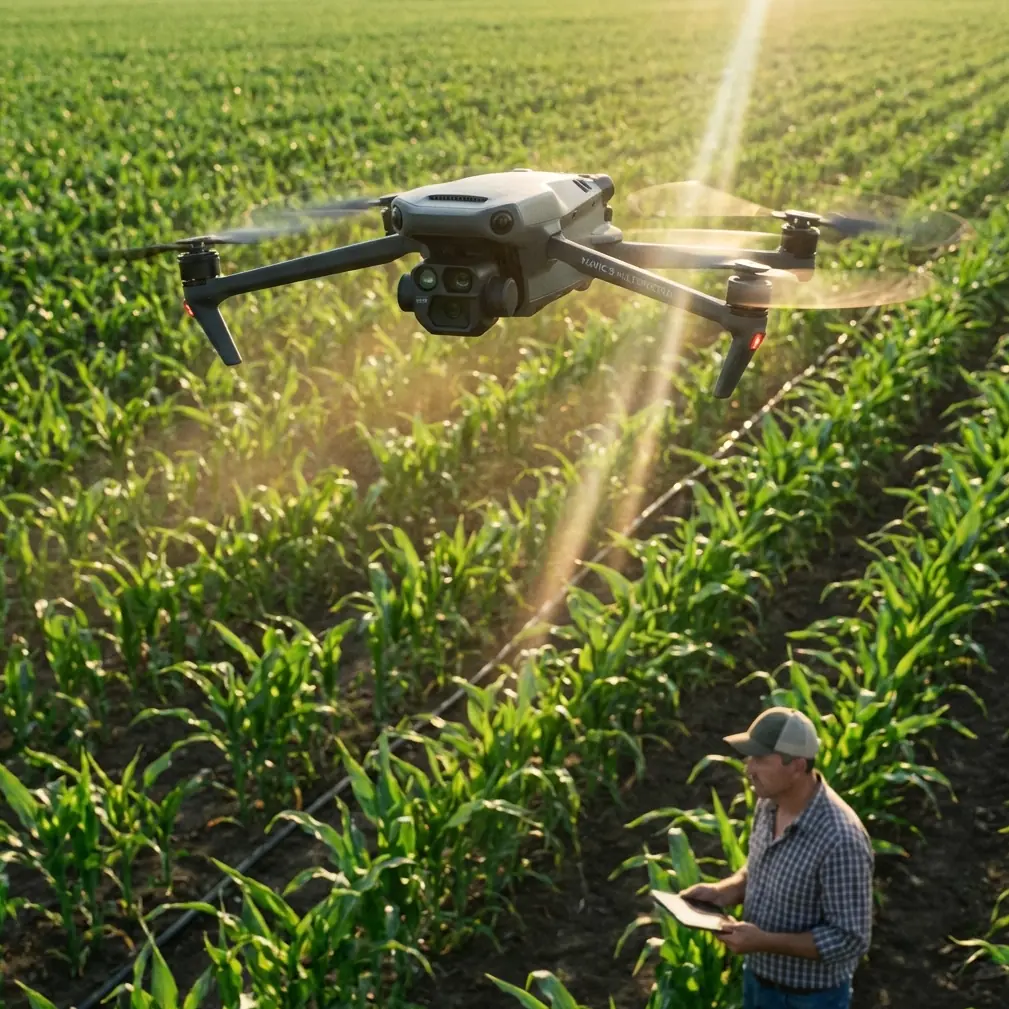
Mavic 3M on Mountain Highways: a Field Report on Image Integrity, Ground Truth, and Why RAW Still Matters
META: A field-tested look at using the DJI Mavic 3M for highway mapping in complex terrain, with practical insight on RAW capture, ArcGIS ground verification, RTK accuracy, and multispectral workflow decisions.
The hardest highway mapping jobs are rarely about flying. They are about proving what you saw.
That lesson came back to me on a corridor survey in broken terrain where the road cut through steep embankments, patchy vegetation, drainage channels, and a series of construction access points that looked deceptively simple from altitude. The aircraft did its part. The challenge started later, when the engineering team needed confidence that the map products actually matched field reality at the edge conditions: exposed soil versus gravel shoulder, temporary runoff paths, crop encroachment near right-of-way, and disturbed surfaces that changed tone hour by hour.
That is where the Mavic 3M earns its place. Not because it is merely compact or easy to launch along a roadside pullout, but because it sits at the intersection of two things that matter on real projects: precise aerial capture and evidence you can revisit without guessing what the camera threw away.
For highway mapping in complex terrain, that second point is easy to underestimate.
The problem with “good enough” imagery
A lot of teams still treat image settings as an afterthought. They fly, collect JPEGs, build the orthomosaic, and move on. On forgiving sites, that can work. On mountain roads, shaded cuts, bright concrete, reflective vehicles, and mixed vegetation can all land in the same block. Compression and in-camera processing may make an image look clean on first inspection, but they also limit what you can recover later.
One of the reference materials behind this discussion breaks down a point that photographers understand well but mapping teams often skip: RAW files preserve the camera sensor’s near-unprocessed original data, with far less aggressive compression and fewer baked-in image adjustments than JPEG. That matters operationally, not artistically. If you are trying to distinguish subtle surface changes along a highway shoulder or verify drainage traces under variable light, extra recoverable detail can save a revisit.
The same source also highlights practical recording choices such as RAW+JPEG, RAW only, compressed RAW, and even 12-bit versus 14-bit capture. Those options are not abstract menu trivia. They affect file size, compatibility, turnaround time, and the headroom available when you need to pull shadow detail out of a steep roadside cut or normalize tonal differences across a long corridor.
With the Mavic 3M, I do not approach capture settings as a camera hobbyist. I treat them as documentation insurance.
Why this matters specifically for the Mavic 3M
The Mavic 3M is usually discussed through its multispectral capability, and for good reason. It is built for agricultural and vegetation-focused analysis, and those strengths translate well to highway work where vegetation management, slope stability indicators, water movement, and land cover transitions matter. The mistake is assuming multispectral data replaces disciplined visible-spectrum image handling. It does not.
On a highway route, the multispectral layer helps identify vegetative condition and boundaries that might influence erosion risk, maintenance access, or right-of-way management. But clients still want conventional visual evidence they can inspect, annotate, and archive. They need to answer plain questions: Is that culvert inlet blocked? Is the embankment bare soil or low vegetation? Did spoil material spill beyond the marked work zone?
That is why the Mavic 3M workflow gets stronger when the capture strategy includes careful thinking about original image fidelity, not just downstream mapping software.
If the scene is high contrast, I generally want the richest source material I can practically manage. The reference article’s discussion of RAW+JPEG is especially relevant here. In field operations, JPEGs are convenient for quick checks, rapid previews, and same-day communication with project managers. RAW files are what you want when interpretation gets contested or when one problematic area needs more tonal recovery than the preview image can support.
A highway project does not fail because the first-pass JPEG looked fine. It fails when a disputed feature cannot be defended after the crew has demobilized.
Ground truth still wins arguments
Another reference document in your source set comes from an ArcGIS collection workflow, and it contains a detail I like because it reflects how real decisions get made. In ArcMap, the operator can use an “HTML Popup” tool to click an interpretation sample point and open an information window. From there, clicking the thumbnail for parcel 69 opens the high-resolution original image, and by examining that original image the team confirms the field is planted with corn.
That small sequence says a lot.
First, interpretation is not a one-layer exercise. Analysts move from mapped point, to popup, to thumbnail, to full-resolution source. Second, the original image remains the final referee. Third, what looked ambiguous at one scale becomes obvious at another.
Replace parcel 69 with a highway slope segment or drainage crossing, and the logic is identical. In one corridor project, our orthomosaic suggested a patch near the shoulder was simply low scrub. The original image review told a different story: mixed debris and recent soil disturbance after runoff. That changed the reporting language from vegetation observation to maintenance concern.
The ArcGIS example is agricultural, but the operational lesson transfers directly to Mavic 3M highway mapping. When a GIS user can click into a point and pull up the high-resolution original, the map stops being just a picture. It becomes traceable evidence.
That is one reason I encourage teams to design their data flow around original-image access. If your field collection, naming structure, and GIS linking are sloppy, the best aircraft in the world cannot help when a reviewer asks for proof behind a classification call.
Complex terrain exposes weak workflows
Flat corridors are forgiving. Mountain roads are not.
The moment you work around elevation shifts, cut slopes, retaining structures, roadside vegetation, and changing light, every shortcut becomes visible. RTK fix rate matters more because tie point reliability becomes harder to maintain on repetitive surfaces and oblique terrain. Centimeter precision matters because drainage assets and shoulder edges need to line up with engineering basemaps, not float a meter off the mark. Swath width planning matters because narrow valleys and changing topography can tempt crews into overextending line spacing.
And image discipline matters because terrain shadows can hide exactly the features that become expensive later.
This is where the Mavic 3M feels different from older corridor setups. It reduces friction. You can move quickly between checkpoints, keep a compact field footprint, and gather multispectral context without hauling a heavier platform into places where access itself is a safety constraint. For highway work, that operational lightness is not cosmetic. It can determine whether the team captures the site in the right weather and light window.
Still, ease of deployment should not trick anyone into casual settings. If the project includes difficult contrast or interpretation-sensitive zones, I would rather manage larger files than discover later that compression smoothed away decision-grade information. The source material explicitly mentions file capacity and format compatibility as real-world considerations. That is exactly right. There is no heroic romance in filling storage cards with huge files if the office cannot process them efficiently. But there is also no efficiency in under-capturing critical data and sending a crew back out.
The right answer is not “always use the heaviest format.” The right answer is mission-based capture planning.
My preferred decision logic in the field
For fast-moving highway jobs, I think in tiers.
If the primary deliverable is a routine progress map and lighting is stable, JPEG may be adequate for the preview pipeline. If the route includes shadow-heavy cuts, uncertain surface conditions, or assets likely to trigger disputes, I want RAW in the workflow, often alongside JPEG for speed. The reference article’s emphasis on RAW+JPEG reflects how professionals actually work: one format for immediate usability, one for maximum recoverability.
If your software chain and storage plan support it, that hybrid approach can be the sweet spot for the Mavic 3M.
The 12-bit versus 14-bit discussion from the source is also worth translating into plain field language. More bit depth can preserve smoother tonal gradations and provide more editing latitude, but it also adds weight to the files and sometimes complexity to the process. On a highway corridor with bright pavement, dark cuts, and vegetation transitions, that extra latitude may be meaningful. On a simpler mission, it may not justify the overhead. I decide based on scene contrast, client tolerance for turnaround time, and how likely it is that we will need to interrogate difficult image areas later.
That is not glamorous. It is just how you avoid bad rework.
Multispectral value beyond crops
Because the Mavic 3M is so often linked with agriculture, some highway teams overlook where it can help them. The ArcGIS reference explicitly demonstrates how imagery can identify a crop type by reviewing the original photo of plot 69. That same image-to-interpretation discipline is useful along transportation corridors where vegetation type, vigor, and change patterns affect visibility, drainage, and maintenance planning.
For example, if a slope section is beginning to show uneven vegetative establishment after stabilization work, multispectral data can support early identification of weak areas before they become obvious failures. If encroaching vegetation along the road edge starts to affect sight lines or masks drainage paths, the combination of mapped outputs and source image review gives both spatial and visual context.
This is one of the stronger cases for the Mavic 3M in highway environments: it bridges standard mapping and condition intelligence without demanding a full-scale enterprise aircraft operation.
The hidden advantage: defendable interpretation
A lot of drone articles focus on features. I care more about defensibility.
The best output from a Mavic 3M job is not just an orthomosaic, vegetation index, or corridor map. It is a package where every meaningful interpretation can be traced back to source material. That is why the ArcGIS popup example stands out. Click point. Open record. Inspect thumbnail. Pull full-resolution image. Confirm what is actually there.
For field consultants, that chain is gold.
If your internal team is building a repeatable workflow around the Mavic 3M for transport corridors, invest time in:
- keeping original imagery organized and accessible
- linking observations to high-resolution source files
- deciding in advance when RAW capture is mandatory
- documenting where lighting or terrain could compromise interpretation
- preserving enough metadata to support later review
That sounds procedural because it is. But procedure is what turns a drone flight into a trusted project record.
A note from the shoulder of the road
On one particularly awkward site, we had a narrow launch area, unstable light, and a steep transition from paved shoulder to vegetated drop-off. The first mosaic pass looked acceptable. The original images told us the “acceptable” area included subtle runoff marking and bare patches that were easy to miss at map scale. That changed both the maintenance recommendation and the follow-up survey scope.
The aircraft made the collection possible. The image settings made the result useful.
That is the real Mavic 3M story for complex highway mapping. Not magic. Not hype. A practical combination of precise flight, multispectral perspective, and source imagery that still holds up when someone asks, “Can you show me exactly how you know?”
If you are building that kind of workflow and want to compare capture setups, GIS linking strategies, or field habits for difficult corridors, you can message Marcus here.
The teams that get the most out of the Mavic 3M are not the ones chasing the most data. They are the ones collecting the right data in a form they can defend, revisit, and integrate into a decision trail.
And on highways carved through complicated terrain, that difference shows up fast.
Ready for your own Mavic 3M? Contact our team for expert consultation.