
Mavic 3M Coastline Inspections: How to Stop Soft Imagery
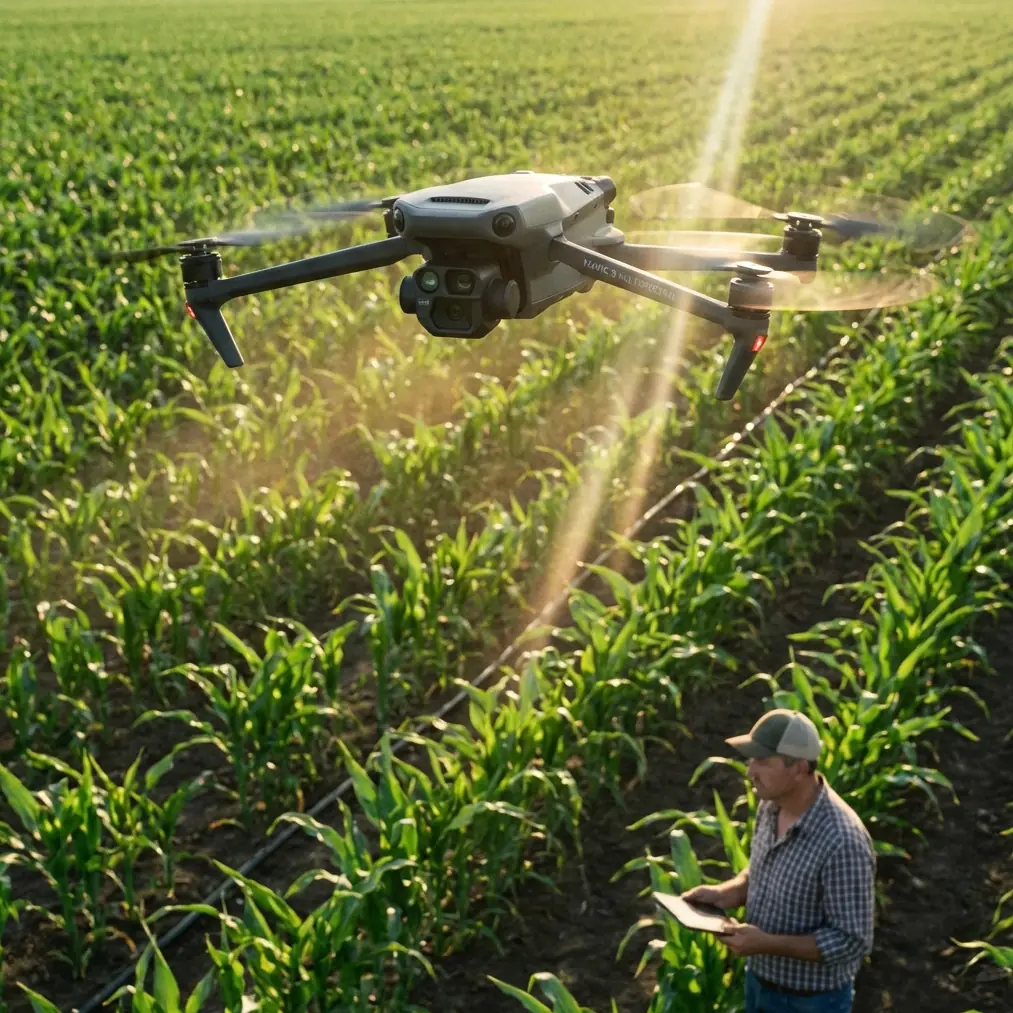
Mavic 3M Coastline Inspections: How to Stop Soft Imagery Before It Ruins a Remote Mission
META: A field-focused guide to sharper Mavic 3M coastline inspection results, using recent lessons on blur diagnosis and 3D flight review to improve multispectral accuracy, repeatability, and mission efficiency.
Coastline inspection looks simple on a map. In the field, it rarely is.
Salt haze cuts contrast. Wind pushes the aircraft off line. Bright water and dark rock fight the camera meter. By the time you get back from a remote shoreline, the real question is not whether the Mavic 3M flew well. It is whether the data is sharp enough to trust.
That is why two recent developments matter more to Mavic 3M operators than they might first appear. One is a practical breakdown of 7 root causes of blurry images in professional shooting workflows, grouped into three failure classes: hand-shake blur, focus blur, and parameter-related blur. The other is AirData’s new 3D Flight Player, launched on 2026-03-25, which converts standard flight logs into an interactive 3D review environment for training and analysis.
At first glance, one story comes from phone photography and the other from flight analytics. Put them together in a real Mavic 3M coastal workflow, though, and they point to the same operational truth: blur is rarely a mystery, and it is almost never just “bad luck.” It is usually the visible symptom of a process error you can identify, repeatably fix, and prevent on the next sortie.
As someone who has spent time building inspection workflows for difficult environments, I would frame it this way: if you are flying the Mavic 3M along a remote coastline, the value of your mission does not come from collecting more images. It comes from collecting images that hold up under agronomic, environmental, or asset-level scrutiny when you are back in the office.
The real problem with blur on a Mavic 3M mission
When operators complain that their results look soft, they often go straight to settings. They start changing shutter speed, ISO, focus behavior, exposure compensation, maybe even altitude and speed, without first defining the actual cause.
That instinct wastes time.
The Chinese photography piece gets one thing exactly right: most “professional mode” blur problems are foundational, not advanced. In that report, the issue is boiled down into three categories rather than endless isolated settings. That framework transfers surprisingly well to drone operations.
For Mavic 3M coastline work, those same three buckets become:
- Aircraft-motion blur
- Focus-placement errors
- Parameter mismatch with the scene
That sounds obvious until you are standing on a headland with gusting crosswinds and only enough batteries for one clean pass.
1) Aircraft-motion blur is the drone version of hand shake
The original report calls out hand shake as one of the core blur types. For a drone, especially in coastal inspection, “hand shake” becomes platform instability and ground-speed mismatch.
If your aircraft is crabbing into wind, correcting yaw, or fighting turbulence off cliffs and sea walls, image sharpness can fall apart even when the mission appears normal on screen. This matters even more when you are trying to preserve multispectral consistency. A blurred RGB frame is annoying. A blurred multispectral dataset can compromise vegetation edge interpretation, shoreline stress analysis, or repeat-pass comparison.
This is where operational discipline matters more than menu diving. Swath width, overlap, and speed have to be balanced against conditions, not against the ideal plan you made in the truck.
A lot of pilots underestimate how quickly detail collapses when they insist on maintaining route speed into changing coastal wind. If the aircraft is stable enough to fly but not stable enough to image, the mission profile is wrong.
2) Focus errors are quieter than motion blur
The same source also identifies focus problems as a separate blur class. That distinction is critical.
Many drone teams blame wind for everything. In reality, I have reviewed plenty of soft inspection sets where the aircraft path was acceptable, but focus was inconsistent across the mission because the operator did not confirm focal behavior after a major scene change.
Coastal inspection creates exactly the sort of contrast transitions that expose this weakness. Sand, black rock, reflective tidal water, vegetation margins, concrete revetments, and wet surfaces all sit in the same corridor. If your system locks onto the wrong plane, the mission can look usable in thumbnails and then disappoint badly once you inspect detail.
For Mavic 3M users, this is not just about visual aesthetics. It affects whether your multispectral interpretation aligns with the actual target condition. If edge detail is soft, your downstream confidence drops. That is especially true when the job depends on repeatability over time, such as monitoring shoreline vegetation health, erosion response, or drainage changes after weather events.
Why the “7 causes” idea matters in a drone workflow
The most useful detail from the photography article is the number itself: seven causes. Not because seven is magical, but because it forces a troubleshooting mindset.
Field teams need a preflight and postflight checklist that assumes image softness has multiple root causes. Not one.
For Mavic 3M remote inspections, I recommend translating that concept into a seven-point blur audit before every serious coastal mission:
- Lens cleanliness, especially salt film and mist residue
- Focus confirmation on the actual mission subject
- Shutter strategy relative to wind and speed
- Exposure consistency across bright water and dark terrain
- Flight speed matched to altitude and required detail
- Gimbal and aircraft stability during route turns
- Battery-state effects on operator decision-making late in mission
That last one gets ignored too often, so let me be blunt: batteries create blur indirectly all the time.
A battery management tip that saves real missions
Here is the field lesson I wish more teams learned early.
Do not assign your most demanding shoreline leg to the battery’s final working window just because the aircraft can technically complete it.
On paper, the pack still has enough reserve. In practice, pilots under battery pressure make bad imaging decisions. They rush turns, accept marginal focus confirmation, and keep speed higher than they should because they want margin for the return leg. That is when softness creeps in.
My rule for remote coastline work is simple: fly the sharpness-critical segment first on the freshest battery of the day, not third or fourth after the weather has shifted and the team is trying to “finish one more run.”
That is especially relevant when working far from launch alternatives. If your access point is constrained by tide, cliffs, marsh, or long walking distance, battery planning is not just about endurance. It is about preserving decision quality.
A fresh pack gives you time to stop, verify, and refly a segment if needed. A late pack tempts you into accepting borderline results.
If your team is trying to tighten its remote workflow, I often recommend building a simple battery rotation note into the mission brief. Assign each pack to either reconnaissance, primary mapping, or contingency. That one habit prevents a lot of preventable softness.
Where AirData’s 3D Flight Player changes the conversation
The second news item matters because it gives operators a better way to diagnose what actually happened.
AirData’s new 3D Flight Player turns standard flight logs into interactive 3D visualizations for review. For Mavic 3M operators, that is more than a nice replay feature. It gives context to image quality problems that are otherwise argued about from memory.
When a coastline dataset comes back soft, teams usually debate the wrong variables:
- Was it the wind?
- Was it autofocus?
- Did the aircraft slow down enough?
- Did the operator yaw during capture?
- Did the route geometry force unstable corrections near the cliff face?
A 3D replay environment helps answer those questions with sequence and spatial context, not guesswork.
That has practical value in three ways.
Training
A junior pilot can look at a blurred segment and see the exact flight behavior around it. If the aircraft entered a gust corridor, made repeated corrections, or hit a sharp turn before image capture, the lesson becomes visible. That shortens the learning curve.
Debriefing repeat routes
Coastline monitoring often depends on consistency across time. If one mission produces clean, trustworthy outputs and the next one does not, the 3D log review can help isolate what changed. Same site does not mean same aircraft behavior.
Standardization
Teams that operate multiple pilots need common language. “It felt windy” is not a standard. A replay tied to logs is closer to one. Over time, that supports better SOPs around speed, route direction, and acceptable maneuver thresholds for data collection.
This is where the two news stories complement each other. One gives you a practical mental model for diagnosing blur. The other gives you a tool for reconstructing flight conditions after the fact. Together, they move the conversation from “my Mavic 3M images were soft” to “this specific blur type happened on this specific segment for this specific reason.”
That shift is operationally significant.
Why this matters for multispectral coastline work
The Mavic 3M is not just another camera drone. When you are using multispectral data in remote environments, your tolerance for image inconsistency shrinks fast.
If you are inspecting coastal vegetation bands, wetland transition zones, erosion buffers, or stress signatures near saline intrusion, clarity is not cosmetic. It underpins interpretation. Slight softness can reduce confidence in edge transitions and weaken comparisons between missions flown weeks apart.
This is also why some of the broader UAV keywords people throw around—RTK fix rate, centimeter precision, swath width—need to be kept in perspective. They matter, but only when the imagery itself is dependable.
A strong RTK fix rate helps with positional repeatability. Centimeter-level precision supports accurate alignment. Swath width determines mission efficiency. None of that rescues data that is blurred because the aircraft was pushed through a windy pass too quickly or because focus was not verified after a scene shift from vegetated shoreline to reflective surf zone.
In other words, precision starts with the image, not the marketing sheet.
A practical problem-solution framework for remote operators
If your current Mavic 3M coastline workflow still treats blur as a random nuisance, use this structure instead.
Problem: Soft results appear despite flying in professional mode and using a planned route.
Likely causes: The recent photography breakdown is useful here because it avoids parameter obsession and sorts the issue into root categories. For drone work, start by identifying whether the softness came from motion, focus, or scene-setting mismatch.
Solution: Combine that root-cause method with postflight 3D log review.
Here is what that looks like in practice:
- Before launch, define the sharpness-critical leg of the mission.
- Put that leg on your freshest battery.
- Reduce route speed if the shoreline is producing turbulence or visual complexity.
- Verify focus after major scene transitions, not just once at takeoff.
- Watch for bright-water exposure behavior when the coastline alternates between reflective and dark surfaces.
- After the mission, use a replay tool such as the new 3D Flight Player to inspect aircraft behavior around any soft segment.
- Document the cause in plain language and update the SOP.
This is not glamorous. It is effective.
The overlooked value of cross-domain lessons
Some operators dismiss smartphone or general photography advice because it is not “drone-specific.” That is a mistake.
The core lesson from the Chinese report is universal: blurry images usually come from basic, repeatable errors, and solving even one correctly can immediately improve image clarity. That principle applies directly to Mavic 3M missions. In fact, remote inspections benefit from it even more because every failure is expensive in time, travel, and opportunity.
Likewise, a flight analytics launch may sound abstract until you realize how often inspection teams rely on memory to explain bad results. The new AirData tool matters because it gives structure to debriefing. Structure is what turns experience into a system.
And systems are what keep remote missions profitable, repeatable, and defensible.
If you are refining your own coastline inspection SOP for the Mavic 3M and want a second set of eyes on route design, battery staging, or image-quality troubleshooting, you can reach me here: message me directly on WhatsApp.
The takeaway for serious Mavic 3M operators
The headline is not that blur exists. Every operator knows that.
The real story is that two recent pieces of industry information point toward a more mature way to handle it. One breaks blur into identifiable root causes instead of treating it like a settings mystery. The other gives drone teams a 3D review method to connect those failures to actual flight behavior.
For coastline inspections in remote areas, that combination is powerful.
The Mavic 3M can deliver highly useful results in difficult environments. But the aircraft only earns that reputation when the operator treats image sharpness as a workflow outcome, not a camera hope. Use a root-cause model. Review flights spatially. Protect your sharpness-critical leg with your best battery. And stop assuming that a completed mission is the same thing as a successful one.
Ready for your own Mavic 3M? Contact our team for expert consultation.