
Mavic 3M: Filming Urban Highways with Precision
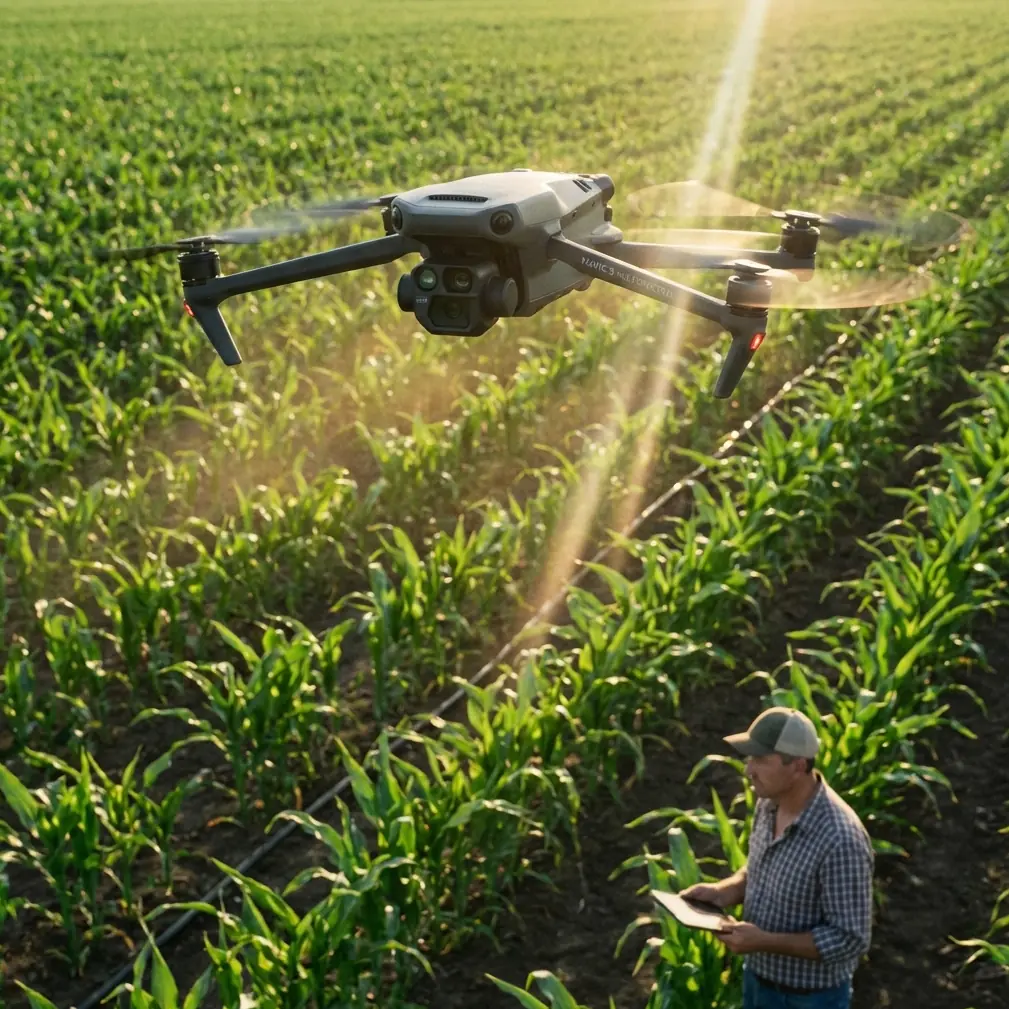
Mavic 3M: Filming Urban Highways with Precision
META: Learn how the DJI Mavic 3M transforms urban highway filming with multispectral imaging, centimeter precision RTK, and IPX6K durability. Expert tutorial inside.
TL;DR
- The Mavic 3M combines a multispectral imaging system with an RGB camera, making it ideal for capturing complex urban highway infrastructure in a single flight pass.
- RTK Fix rate accuracy delivers centimeter precision positioning, critical for repeatable highway survey corridors and geo-referenced footage.
- Its compact airframe and IPX6K-rated weather resistance let you film in conditions that ground larger enterprise drones.
- This tutorial walks you through a complete urban highway filming workflow—from mission planning to post-processing—based on real field experience.
Why Urban Highway Filming Demands More Than a Standard Drone
Filming highways in dense urban environments is one of the most technically demanding aerial tasks you can undertake. Between restricted airspace, moving traffic, signal interference from buildings, and narrow launch windows dictated by traffic management plans, the margin for error is razor-thin.
I learned this the hard way. Two years ago, I was contracted to document a 12-kilometer highway expansion cutting through downtown Phoenix. We deployed a larger enterprise platform, and within the first morning, we'd burned through three batteries just dealing with GPS drift between high-rises, manual repositioning, and missed waypoints. The footage was inconsistent, the georeferencing was off by meters, and the client pushed back hard on the deliverables.
When the DJI Mavic 3M entered my toolkit, that exact type of project became not just manageable—it became efficient. Here's the workflow I've refined over dozens of urban highway missions.
Understanding the Mavic 3M's Core Capabilities for Highway Work
Before diving into the tutorial, let's clarify what makes this particular platform suited for urban highway filming—and why some of its agricultural-heritage features translate directly to infrastructure work.
Multispectral Imaging Meets Infrastructure
The Mavic 3M carries four multispectral sensors (Green, Red, Red Edge, Near-Infrared) alongside an RGB camera with a 4/3 CMOS sensor. While these bands are typically associated with crop health analysis, they are exceptionally useful for highway projects:
- Vegetation encroachment detection along highway shoulders and medians
- Surface moisture mapping on pavement using NIR reflectance
- Thermal stress indicators on asphalt and concrete bridge decks
- Drainage pattern analysis in highway corridors
This dual-camera system captures visible-light video for client presentations and multispectral data for engineering analysis—simultaneously, in one pass.
Centimeter Precision with RTK
Urban canyons wreak havoc on GPS signals. The Mavic 3M's RTK module maintains a high RTK Fix rate even in partially obstructed environments, delivering centimeter precision positioning data embedded directly into every image and video frame.
This means your footage is inherently geo-referenced. No more spending hours in post aligning frames to ground control points that a survey crew placed at 4 AM before traffic picked up.
Expert Insight: When operating between buildings taller than 50 meters, I configure the RTK to use a local NTRIP network rather than the DJI D-RTK 2 base station. The network correction handles multipath interference from reflective building facades far more reliably than a single ground-based reference.
Swath Width and Corridor Efficiency
The Mavic 3M's sensor geometry provides a generous swath width at typical highway survey altitudes (80-120 meters AGL). At 100 meters, you can cover a 4-lane highway plus shoulders in a single longitudinal pass. This dramatically reduces the number of flight lines needed—and in urban environments, fewer passes means less time in controlled airspace.
Step-by-Step Tutorial: Filming Urban Highways with the Mavic 3M
Step 1: Pre-Mission Planning and Airspace Coordination
Urban highway filming requires meticulous planning. Here's my checklist:
- Identify airspace restrictions: Use tools like Aloft (formerly Kittyhawk) to map controlled zones, helipads, and temporary flight restrictions
- Obtain LAANC authorization or coordinate directly with the relevant authority for flights within controlled airspace
- Scout launch and recovery sites: You need flat, unobstructed areas within 300 meters of the highway corridor, away from traffic
- Plan flight windows: Early morning (6:00-8:00 AM) or midday for consistent lighting; avoid golden hour for multispectral work as low sun angles corrupt spectral readings
- Check wind forecasts: The Mavic 3M handles winds up to 12 m/s, but turbulence between buildings can create localized gusts 30-40% higher than reported ground speeds
Step 2: RTK Configuration and Calibration
Before launching, establish your RTK correction link:
- Power on the Mavic 3M and RC Pro controller
- Navigate to RTK Settings in DJI Pilot 2
- Select your correction source (D-RTK 2 base station or NTRIP network)
- Wait for RTK Fix status—do not launch in RTK Float
- Verify the positioning accuracy readout shows below 2 centimeters horizontal
Pro Tip: Always log your RTK base station coordinates or NTRIP mount point. If you need to re-fly the corridor weeks later for change-detection analysis, using the same correction source ensures your datasets align perfectly—no nozzle calibration-style fine-tuning needed in post.
Step 3: Mission Design in DJI Pilot 2
For linear highway corridors, use the Waypoint Flight mode rather than Area Mapping:
- Set altitude at 100 meters AGL for a balanced swath width covering the full roadway
- Place waypoints along the highway centerline, adjusting for curves and interchanges
- Configure gimbal pitch at -90° (nadir) for mapping data, or -45° for oblique cinematic footage
- Set overlap at 75% frontal / 65% side if generating orthomosaics
- Enable multispectral capture in sync with RGB for simultaneous data collection
- Set flight speed at 8-10 m/s to ensure sharp imagery and proper exposure
Step 4: Executing the Flight
During the mission:
- Monitor RTK Fix rate continuously on the controller display—if it drops below 95%, pause the mission and troubleshoot before continuing
- Watch battery levels carefully; plan to land at 30% remaining in urban environments where return-to-home paths may require obstacle avoidance detours
- Use the ADS-B receiver built into the Mavic 3M to monitor manned aircraft proximity
- Keep a visual observer positioned to watch for birds, other UAS, or unexpected obstacles
Step 5: Post-Processing Workflow
After landing, your data pipeline looks like this:
- Transfer files via the microSD card—expect 8-15 GB per flight with dual-camera capture
- Process RGB imagery in DJI Terra or Pix4Dmapper for orthomosaics and 3D models
- Process multispectral bands in specialized software (Pix4Dfields, QGIS with Orfeo Toolbox) for vegetation indices or surface analysis
- Export georeferenced deliverables using the embedded RTK coordinates—no manual GCP alignment required
- Render cinematic footage from the RGB video files in your preferred NLE
Technical Comparison: Mavic 3M vs. Common Highway Survey Alternatives
| Feature | Mavic 3M | Enterprise Platform A | Fixed-Wing Mapper |
|---|---|---|---|
| Weight | 951 g | 3,200 g | 4,500 g |
| Flight Time | 43 min | 35 min | 59 min |
| RTK Accuracy | 1-2 cm horizontal | 1-2 cm horizontal | 2-5 cm horizontal |
| Multispectral Bands | 4 bands + RGB | RGB only (add-on required) | 5 bands (no video) |
| Weather Rating | IPX6K | IP45 | Not rated |
| Urban Portability | Backpack-deployable | Vehicle-dependent | Requires launcher |
| Swath Width at 100m | ~150 m | ~120 m | ~250 m |
| Simultaneous Video + Data | Yes | Limited | No |
The Mavic 3M's combination of portability, dual-camera simultaneous capture, and IPX6K weather resistance makes it uniquely suited for urban highway work where you need to move quickly between launch sites and operate in unpredictable conditions.
Common Mistakes to Avoid
Flying in RTK Float Instead of RTK Fix
This is the single most common error I see. RTK Float gives you sub-meter accuracy—usable, but nowhere near the centimeter precision the system is capable of. If your RTK Fix rate is unstable, relocate your base station or switch NTRIP mount points before launching. Bad positioning data corrupts your entire dataset.
Ignoring Spectral Calibration
The Mavic 3M ships with a reflectance calibration panel. If you skip the pre-flight calibration step, your multispectral data will be inconsistent between flights, making temporal comparisons (like tracking vegetation spray drift onto road surfaces over time) unreliable.
Setting Flight Speed Too High
Pushing beyond 10 m/s to save time causes motion blur in multispectral bands, which have narrower apertures than the RGB camera. The time you "save" in the air gets lost tenfold in post-processing when frames are unusable.
Neglecting Overlap in Complex Interchanges
Highway interchanges with overpasses, ramps, and elevation changes need 80%+ overlap to generate accurate 3D models. Standard corridor overlap settings (70/60) leave gaps in vertical structures. Adjust your mission plan when approaching interchange zones.
Underestimating Urban Wind Effects
Buildings create wind tunnels and rotor wash zones that don't show up in weather forecasts. Budget 20% extra battery for stabilization corrections. The Mavic 3M handles this well, but the energy cost is real.
Frequently Asked Questions
Can the Mavic 3M produce survey-grade highway maps without ground control points?
Yes—with the RTK module active and maintaining RTK Fix status, the Mavic 3M delivers centimeter precision positioning that meets the accuracy requirements for most highway survey and inspection contracts. Ground control points can still be used for independent verification, but they're no longer a hard requirement for georeferencing.
Is the Mavic 3M legal to fly over active highway traffic?
Regulations vary by jurisdiction. In the United States, 14 CFR Part 107.39 prohibits flight over non-participating persons in moving vehicles unless you hold a Category 2, 3, or 4 Remote ID waiver or operate under an approved exemption. The Mavic 3M's sub-250g exemption does not apply here as it weighs 951 grams. Always coordinate with your local aviation authority and highway department for traffic management plans during filming.
How does the IPX6K rating hold up during actual highway missions?
The IPX6K rating means the Mavic 3M can withstand high-pressure water jets from any direction. In practical terms, I've flown through light rain and heavy morning mist without any performance degradation. This is critical for highway work where you often can't reschedule due to traffic management coordination. That said, avoid flying in active thunderstorms—the rating protects against water, not lightning or severe turbulence.
About the author: Marcus Rodriguez is an aerial survey consultant specializing in transportation infrastructure documentation. He has logged over 2,000 commercial drone flights across highway, rail, and bridge inspection projects.
Ready for your own Mavic 3M? Contact our team for expert consultation.