
Mavic 3M on Harsh Construction Sites: Field Workflow
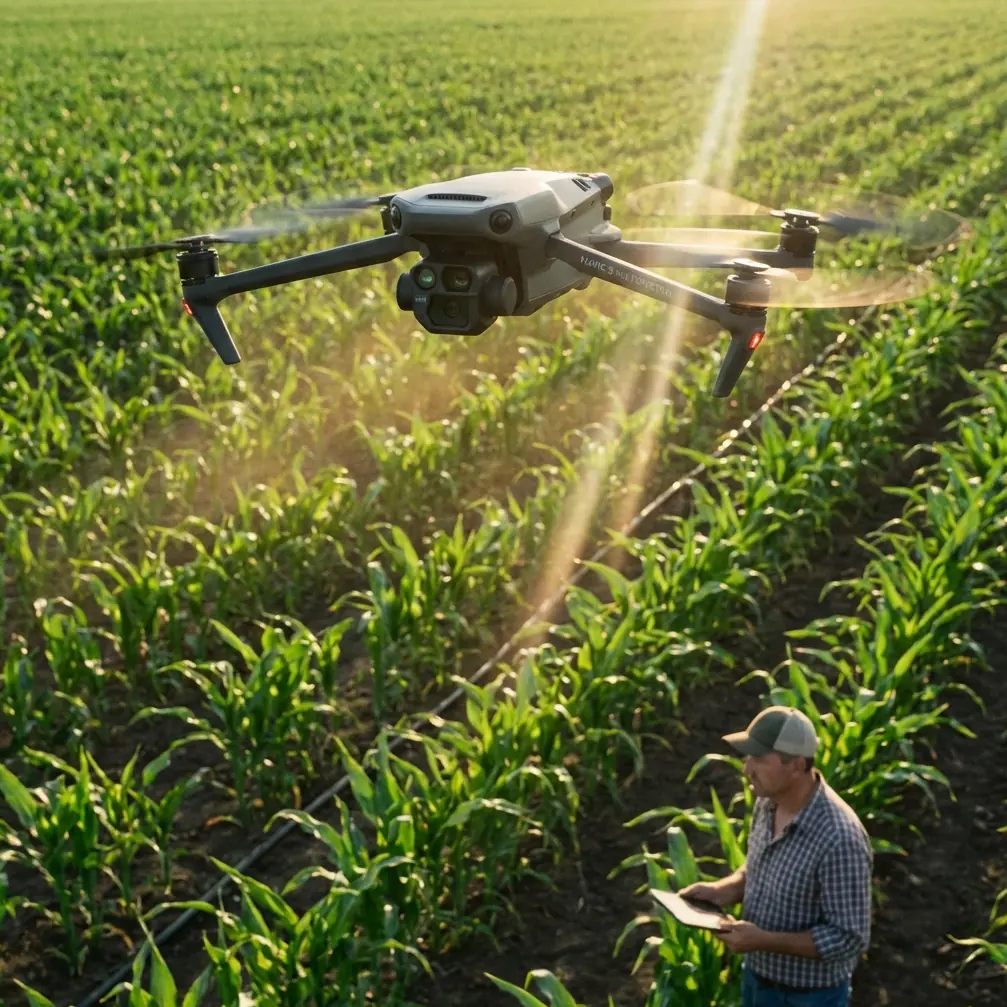
Mavic 3M on Harsh Construction Sites: Field Workflow, Screen Setup, and Antenna Positioning That Actually Hold Up
META: A practical Mavic 3M tutorial for construction teams working in heat, glare, and unstable field conditions, with device setup tips, antenna positioning advice, and lessons drawn from real low-altitude delivery operations.
Construction teams rarely operate in tidy conditions. They work in reflective dust, sharp midday sun, concrete heat islands, and wide sites where signal quality, screen visibility, and workflow discipline matter as much as the aircraft itself. If you are putting a DJI Mavic 3M into that environment, the right question is not simply whether the drone can fly. The better question is whether the whole field system around it can keep working when the site gets punishing.
That distinction matters.
The Mavic 3M is often discussed through the lens of multispectral output, mapping efficiency, and data products. All of that is useful. But on a live construction project, especially one dealing with schedule pressure and temperature swings, small operational details become the difference between a clean mission and a frustrating one. Screen choice. Device mounting. Heat behavior. Connectivity. Antenna orientation. Even the way your pilot holds the controller over a long session.
I want to build this tutorial around two very different reference points that reveal the same truth. First, a recent real-world development in Lianyungang: on April 16, the city’s first campus-to-commercial-district drone delivery route, called “Wukong Cloud Delivery,” formally entered operation, linking a shopping district with Lianyungang Vocational Technical College for low-altitude instant delivery. Second, field-tested recommendations from an ArcGIS integrated collection workflow showing that iOS devices consistently delivered better app stability and user experience than Android in outdoor work, while bright-light readability and controller compatibility became major deciding factors.
At first glance, campus food delivery and Mavic 3M construction mapping have little in common. In practice, they share the same operational spine: low-altitude missions depend on reliable route execution, a stable control interface, and hardware choices that still function under environmental stress. That is exactly the lesson construction teams should pay attention to.
Why a construction site should care about a campus drone route
The Lianyungang route is not interesting because it moved takeout. It is interesting because it shows what happens when low-altitude drone operations move out of the demo phase and into repeatable service. The line connected a commercial area and a college campus, and it was run by a district-owned enterprise rather than an ad hoc hobby team. That signals something bigger: operational discipline is becoming the product.
For a construction reader using the Mavic 3M, this matters because site logistics, inspection cycles, stockpile progress checks, and temporary access constraints all benefit from the same kind of repeatability. If a low-altitude route can be formalized for immediate delivery between two fixed points, then construction teams should think similarly about recurring air tasks between fixed work zones: excavation edge checks, haul road progress snapshots, drainage tracking, temporary structure verification, and material staging records.
The operational significance is simple. Drone success is no longer just about airframe capability. It is about building a dependable corridor of work between ground teams, launch points, control interfaces, and data turnaround.
That is the mindset you want when deploying the Mavic 3M on a difficult site.
Start with the weak point most teams ignore: the display
A lot of failed field days start on the screen, not in the air.
The ArcGIS field guidance is blunt: based on measured experience, Apple iOS devices showed noticeably better app experience and stability than Android devices. That may sound mundane, but on a construction site it becomes a serious workflow issue. When your pilot is standing in direct light, trying to confirm overlap, flight path, or control status while machinery moves nearby, UI lag and heat-induced dimming are not minor annoyances. They are operational friction.
The same document also points out a painful truth about smaller iPhones used with Mavic-class controllers. Devices such as the iPhone 6s through iPhone X were considered convenient to carry and less fatiguing for long hand-held use, but in strong outdoor light their screens were harder to read. Worse, with brightness pushed to maximum, screen overheating could force the device to dim within a little over 10 minutes.
That detail is gold for construction operations.
If you are flying the Mavic 3M in extreme heat, assume your display is part of the thermal risk profile. Site managers often think only about aircraft batteries or motor temperature. They should also be planning for pilot display degradation in direct sun.
Practical takeaway
For hot-weather Mavic 3M site work:
- Prioritize display readability over pocket convenience.
- If using an iPhone-sized device, test brightness stability in full sun before mission day.
- Carry a proper sun hood if your display needs one.
- Keep the controller and mounted device out of direct exposure between sorties.
- Rotate devices during long sessions if your team flies back-to-back missions.
Bigger screens are not automatically better
Many teams instinctively move to a larger tablet. That can help, but the field notes add an important caveat: iPad Air-class devices were praised for long operating time, with measured continuous use of more than 6 hours, and the large screen made operation easier. There was another major advantage too. Cellular-enabled versions were strongly recommended because they could download imagery basemaps in real time and used built-in GPS for location.
On a construction site, that combination is genuinely useful. Real-time imagery reference supports quick mission adjustments when haul roads shift, temporary fencing changes, or staging areas move faster than the latest office plan. Built-in GPS also helps align field decision-making without adding one more device to manage.
But there is a catch. The same iPad Air class was described as too large to fit the Mavic controller directly, and the overall weight made long hand-held operation tiring. The iPad Pro was also flagged as too large for standard controller compatibility, requiring a third-party mount.
That means a “better” screen can quietly degrade field ergonomics.
A construction mission often means repeated setup and teardown from the back of a truck, a folding table, or a temporary job trailer. If your pilot has to wrestle with a heavy tablet, third-party bracket, and awkward antenna placement every time, your workflow slows down and your risk of poor setup rises.
My recommendation for Mavic 3M construction teams
Use the largest screen that still supports a fast, repeatable controller setup without awkward balancing. In many cases, that sweet spot is not the biggest tablet you own. It is the display that your pilot can comfortably hold, shade, and aim for multiple flights.
If you need help evaluating a field-ready controller and device setup for your own site conditions, you can message me here: field setup discussion.
Why cellular iPads matter more than people admit
One of the best details in the reference material is the strong recommendation for 3G or 4G-capable iPads. The reasoning was practical, not theoretical: the device could pull down imagery basemaps in real time and had onboard GPS to support positioning.
For Mavic 3M work on construction sites, this is operationally significant in three ways.
1. Basemap continuity
Construction sites change weekly, sometimes daily. Having field access to current reference imagery reduces the number of decisions made from stale assumptions.
2. Faster issue verification
If a superintendent asks whether a drainage swale, aggregate laydown area, or perimeter cut matches plan intent, a connected device lets the pilot cross-check quickly rather than waiting to return to the office.
3. Less dependence on patchwork workflow
When crews resort to screenshots, offline guesses, or manually copied coordinates, errors pile up. A connected field device strips that out.
That does not mean you need internet for every flight. It means your field platform should be built for changing site reality rather than ideal office conditions.
Antenna positioning advice for maximum range and stable link
Let’s get to the point most pilots ask about only after they lose confidence in the video link.
Antenna positioning is not a magic trick. It is geometry.
With the Mavic 3M controller setup, the goal is to present the broad face of the antennas toward the aircraft’s operating area, not the antenna tips pointed directly at it. Think of the signal pattern as being stronger off the sides than off the ends. If your pilot aims the antenna tips at the aircraft, range and link quality can suffer for no obvious reason.
On construction sites, the mistake becomes more common because pilots move around to avoid machinery, step into shade, or launch from uneven temporary zones. Every shift changes body position, controller angle, and antenna orientation.
Best practice in the field
- Keep the controller chest-high and stable rather than hanging low at waist level.
- Angle the antennas so their flat sides face the aircraft’s working sector.
- Re-orient as the aircraft moves laterally across the site.
- Avoid letting your body, truck cab, site office wall, or steel container sit directly between controller and aircraft.
- If operating near rebar yards, steel framing, cranes, or stacked containers, treat them as signal obstacles even when the aircraft still appears visually obvious.
The lesson from low-altitude delivery operations is relevant here. Repeated route flying only works when the control link remains predictable. The same applies to repeat corridor mapping over a construction site. Your range is not just about distance. It is about maintaining a clean radio path through a cluttered jobsite.
Heat management: the overlooked systems view
Extreme temperatures do not attack one component. They attack the entire chain.
The ArcGIS field notes highlight a useful comparison point: DJI’s CrystalSky high-bright display was praised for long work time of more than 6 hours, low reflectivity, strong behavior in bright conditions without a hood, and tolerance to high and low temperatures. Its weakness was not environmental durability. It was software ecosystem support, with Android-based third-party app support described as only average.
That tradeoff deserves attention.
Construction crews often chase the most rugged-looking display and only later discover software limitations. Others chase app familiarity and then fight glare and thermal dimming all day. Neither approach is ideal. The right question is not “What is the toughest screen?” It is “What full stack survives my site conditions with the fewest compromises?”
For Mavic 3M teams, that means evaluating:
- app stability
- screen brightness under direct sun
- runtime across a full shift
- mounting compatibility with the controller
- weight during repeated hand-held use
- connectivity for basemaps and field sync
- thermal behavior after multiple flights
A setup that works for 20 minutes in a parking lot may fail on a six-hour concrete and steel site in August.
Applying logistics thinking to construction drone work
The drone delivery research in the reference set includes a useful historical snapshot. One analysis noted that companies like Amazon targeted deliveries within 16 kilometers, with a goal of completion in 30 minutes while carrying 2 kilograms, and that Google shifted from fixed-wing experimentation back toward quadcopter development. The exact market context has moved on since then, but the operational logic still stands.
Range, payload, route simplicity, and regulatory structure define what is practical.
For the Mavic 3M on a construction site, swap out “package payload” for “data payload.” Your real cargo is reliable site intelligence. The mission is not to fly as far as possible. It is to capture the right data set inside a workable time window, under conditions your team can repeat safely and accurately.
That is why low-altitude delivery stories matter. They remind us that drone operations mature when they are designed around repeatability, not novelty.
A field workflow that works better in extreme conditions
Here is the tutorial version I give to construction teams deploying a Mavic 3M in heat, glare, and rough site conditions.
Before leaving the trailer
Confirm your display choice. If you are using an iOS device, verify brightness behavior and charging status. If you rely on a cellular tablet, make sure map access and location services are functioning.
At the launch point
Stand where you have a clean line toward the operating area. Do not tuck yourself against a truck or metal barrier just for comfort. Those objects can become signal problems.
Mount and orient deliberately
If your screen setup uses a third-party bracket because the tablet is oversized for the controller, tighten and test it before powering up. Poor mounts create constant hand repositioning, which then throws off antenna orientation.
Manage glare before takeoff
Use a hood if needed. The reference guidance specifically calls out strong outdoor light as a real issue. If your pilot is squinting on the ground, that problem will not improve once the aircraft is airborne.
Fly in shorter, disciplined blocks
In extreme temperatures, shorter missions often produce better overall data consistency than one long, ambitious sortie. This also reduces the chance of display dimming and pilot fatigue.
Re-check antenna direction during lateral site moves
As the aircraft crosses the work zone, rotate your controller orientation. Maximum range is not a static setting. It is maintained by keeping the antenna faces aligned with the aircraft’s position.
Keep the system cool between missions
Shade the controller and display. Do not leave them on a dashboard or exposed tailgate. Heat soak between flights is one of the fastest ways to degrade field performance.
Final thought for Mavic 3M operators
What stands out across these references is not one dramatic breakthrough. It is a pattern. Real drone operations succeed when the surrounding system is treated seriously. A city-level campus delivery route succeeds because it links ground infrastructure, route planning, and operator discipline. A mapping workflow succeeds because someone noticed that iOS behaved more reliably outdoors, that some screens dim after 10 minutes at full brightness, that certain tablets can run for 6 hours, and that some simply do not fit the controller well enough to be practical.
That is the level of attention Mavic 3M teams should bring to construction work.
Not just airframe confidence. Field system confidence.
Ready for your own Mavic 3M? Contact our team for expert consultation.