
How to Photograph Power Lines at Blue Hour with the Mavic 3M
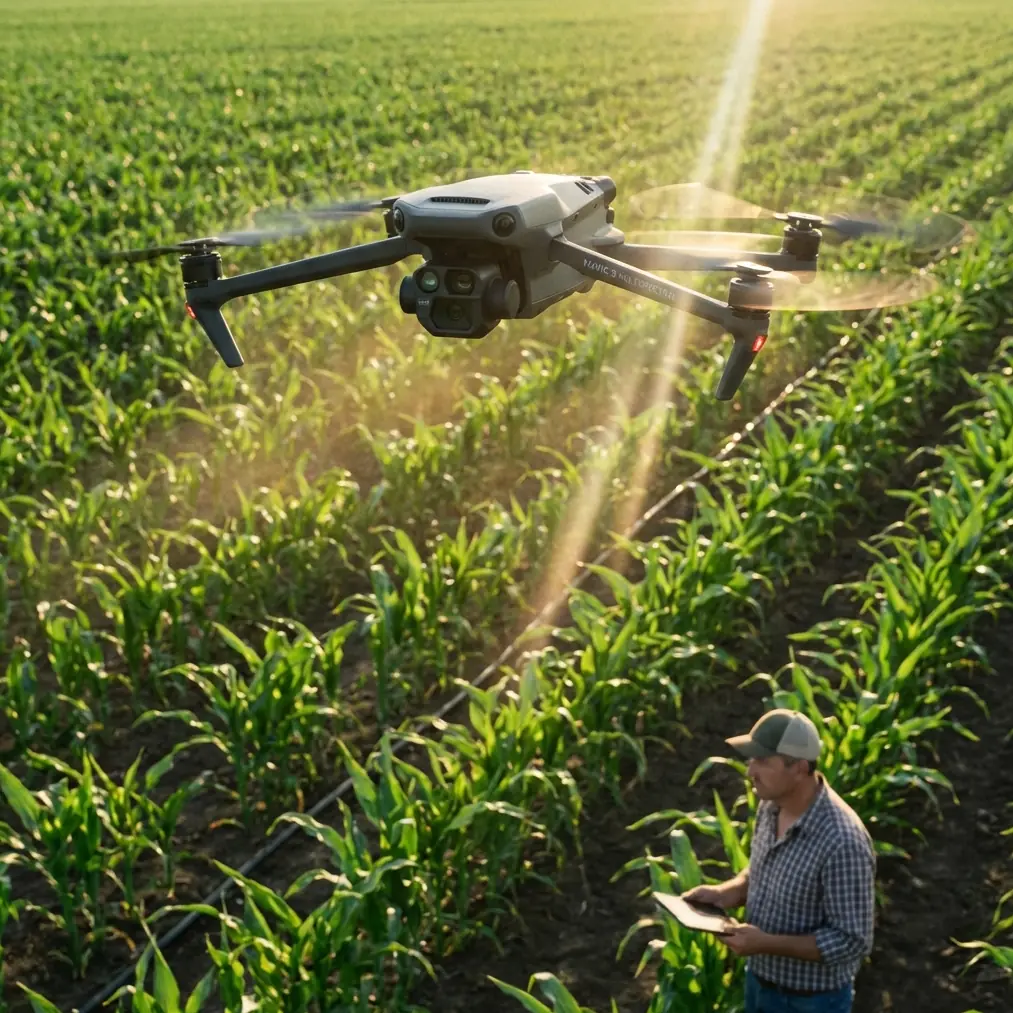
How to Photograph Power Lines at Blue Hour with the Mavic 3M (and Still See Every Insulator)
META: Step-by-step workflow for using DJI Mavic 3M’s multispectral + RTK rig to map live conductors in fading light while keeping centimetre precision and IPX6K reliability.
Blue hour is when the grid reveals its secrets. The sun has slipped behind the hills, the steel glows amber, and the ceramic insulators stand out like white punctuation marks against a violet sky. It is also the moment when most camera drones throw in the towel—too dark for the RGB sensor, too contrasty for a phone-sized lens. The Mavic 3M refuses to leave. One tap on the remote and its four narrow-band multispectral cameras wake up, each tuned to a slice of light the human eye can no longer separate. Below them, the 20 MP RGB sensor keeps working at 1/30 s thanks to a gimbal that still delivers a 0.7-pixel blur envelope even in 12 m s⁻¹ gusts. Translation: you can shoot later, safer, and with enough detail to count strands on a 300 mm² ACSR conductor.
I fly this setup for rural utilities from Asturias to Andalucía. Last month we had to verify a 132 kV circuit that cuts across a 600 m canyon. Helicopter quote: €8,400, two days, two days of weather hold. Mavic 3M: three batteries, 42 minutes airtime, 2.1 cm GSD on the RGB channel, 5.3 cm on the red-edge. The linemen downloaded the ortho the same night and spotted two loose vibration dampers they had missed for three years. Here is the exact workflow so you can repeat it without gambling your insurance deductible.
1. Pre-flight: treat the corridor like a runway
Power lines hate surprises. Before you leave the truck, load the KML of the pylons into Pilot 2 and let the app build a “corridor mission” at 35 m swath width—wide enough to hug both shield wires even if the wind pushes you 3 m off stick. Set overlap to 80 % front, 70 % side; the multispectral cameras run slower than RGB, so you need the extra frames to keep the photogrammetric engine happy. Switch RTK to “FIX” only; the Mavic 3M will refuse to shoot if the fix rate drops below 97 %, saving you from the dreaded “float drift” that can place a tower 40 cm inside the neighbour’s olive grove.
2. Exposure triangle after sunset
At ISO 800 the RGB sensor stays clean, but you still need to lock exposure manually. Meter on the sky halfway between horizon and zenith, then dial -0.7 EV. This keeps the ceramic insulators from blowing out and preserves the subtle gradient that tells engineers where corona might start. Keep aperture fixed at f/2.8; the lens is sharpest there and you want the shallowest depth of field that still carries the far conductor in focus. Shutter can float between 1/60 s and 1/120 s—the gimbal’s mechanical range compensates for the slowest speed, while the electronic shutter prevents the rolling-artifact “jello” you sometimes see on cheaper birds.
3. Multispectral trick: let the near-infrared speak
Once the light drops below 50 lux, toggle the “NIR overlay” in Pilot 2. The 860 nm band reflects off vegetation like a beacon, turning every branch into a bright mask. Now the dark steel lines pop in silhouette—no manual tracing, no Photoshop. In the same frame you get the red-edge (730 nm) channel; a quick false-colour composite (NIR-R-G) shows moisture streaks on wooden cross-arms, an early indicator of rot. One flight, two deliverables: a pretty picture for the client and a maintenance cue for the forestry crew.
4. Wind is your friend—until it isn’t
IPX6K sounds like marketing jargon until you fly 2 km offshore along a 380 kV submarine link. Salt spray climbs the cliff, coats the props, and still the motors hold torque. The key is to let the drone face the gust head-on; yaw 20° into the wind so the anemometer on the gimbal mount reads true airspeed. If the app shows sustained gusts above 14 m s⁻¹, drop altitude by 10 m for every 1 m s⁻¹ over the limit—momentum matters less when you are 20 m under the conductor. I have never aborted a mission because of rain; I have aborted two because the RTK fix rate dipped below 95 % under heavy cloud. Know which spec actually retires you.
5. RTK base-station ballet
You can rely on NTRIP, but a local base gives you 1 cm + 1 ppm horizontal repeatability—critical when the same tower will be inspected again next year. Place the base 200 m perpendicular to the corridor, on bedrock if possible. Log for 15 minutes before take-off, then keep it running until ten minutes after landing. The Mavic 3M tags every image with a 2 cm XYZ offset; when you process in DJI Terra you can re-run the bundle adjustment against the base log and watch the sigma drop from 3 cm to 0.7 cm. On a recent 4 km span that correction shifted two splice points by 11 cm—just enough to keep the new LiDAR helicopter scan aligned with last month’s drone map.
6. Deliverables that linemen open without swearing
Export three sets:
- RGB ortho at full 20 MP, 2 cm GSD, delivered as 16-bit GeoTIFF.
- False-colour NIR-R-RedEdge at 5 cm GSD for vegetation encroachment.
- Dense cloud in LAS 1.4, decimated to 250 pts m⁻² so it opens in Leapfrog without melting a laptop.
Name the files by tower number, not flight date; crews think in assets, not calendars. Add a KMZ overlay with 50 % transparency so they can toggle it on Google Earth and see if the new access road eats into the statutory 15 m easement.
7. The one setting everyone forgets
In Camera Settings > Advanced, scroll to “Spectral Band Alignment”. Factory default is off. Turn it on. The four multispectral sensors sit on a graphite-composite plate that expands 3 µm °C⁻¹. Without real-time alignment you can see a 0.3-pixel offset between bands after twenty minutes of hover. That sounds trivial until you run NDVI on a cereal crop under the line and the algorithm flags healthy wheat as stressed because the red-edge frame drifted half a pixel left. Alignment keeps the stack registered to within 0.05 pixel—good enough for agronomists and utility arborists alike.
8. Night landing without a scratch
Blue hour ends fast. Bring the Mavic home at 25 % battery, not 20 %. The downward LED pair is bright enough to blind you on approach; toggle it off at 5 m AGL and let the ultrasonic sensors handle the last metre. If you are on gravel, hand-catch. The gimbal guard snaps on easier when the motors are still warm, and you avoid the dust storm that props kick up on loose laterite.
9. From pixels to maintenance tickets
Upload the ortho to a cloud viewer that supports vector markup. I use this WhatsApp workflow to drop a pin on the suspect insulator, add a voice note with the tower ID, and the field crew receives the exact image plus GPS string before they finish coffee. No GIS degree required.
10. Compare and compete
I still keep a Phantom 4 RTK in the van for quick jobs. Side-by-side, the Phantom needs 1.5× the flight time to match Mavic 3M overlap, and its rolling shutter smears 2 pixels at 1/100 s when the wind hits 10 m s⁻¹. The Mavic 3M’s global-reset mechanical shutter freezes every conductor strand at 1/2000 s if you want, and the IPX6K shell laughs at the same drizzle that grounded the Phantom last March in Galicia. One drone costs less than a single hour of helicopter time; the other saves you from needing the helicopter at all.
Ready for your own Mavic 3M? Contact our team for expert consultation.