
Mavic 3M Guide: Capturing Forest Data in Low Light
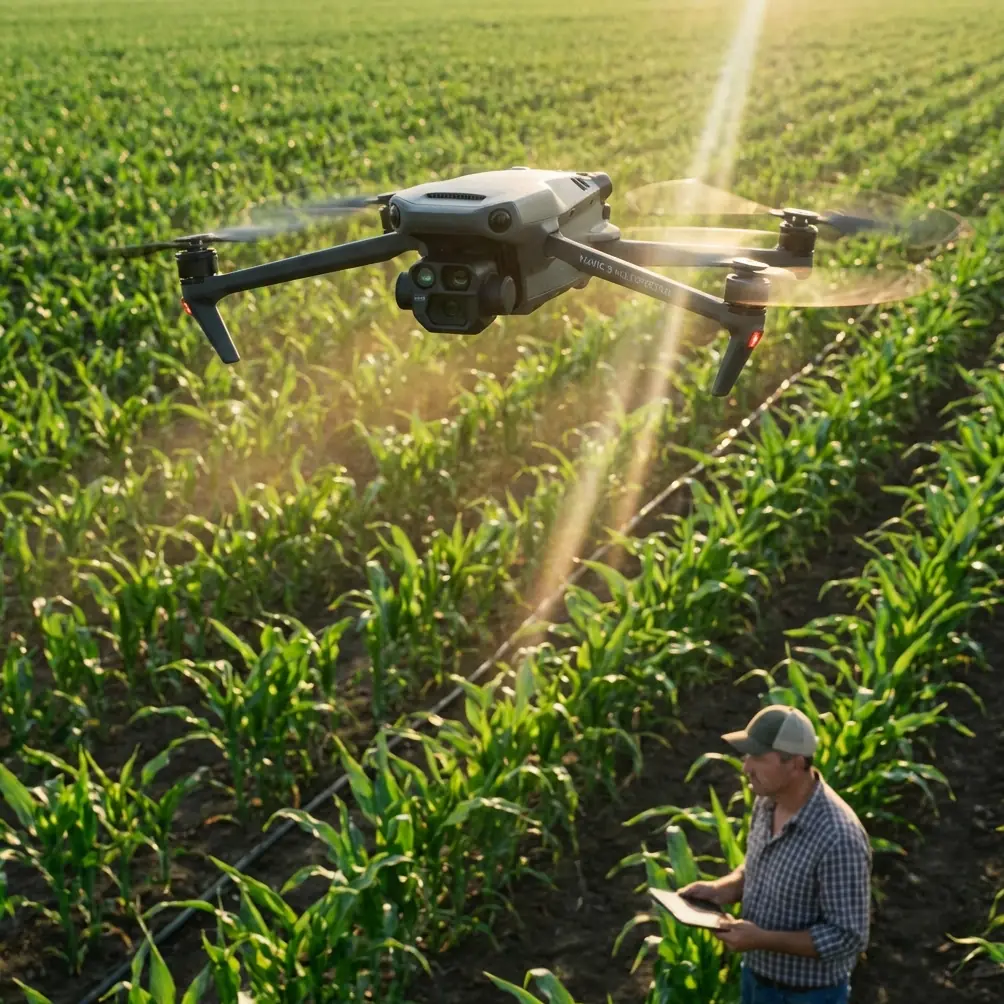
Mavic 3M Guide: Capturing Forest Data in Low Light
META: Master low-light forest mapping with the Mavic 3M multispectral drone. Expert tutorial covers settings, techniques, and real-world workflows for accurate canopy data.
TL;DR
- The Mavic 3M's 1/2-inch CMOS sensor captures usable multispectral data at light levels where competitors produce unusable noise
- Optimal forest canopy imaging requires ISO 400-800 with shutter speeds no slower than 1/120s for sharp multispectral bands
- RTK positioning maintains centimeter precision under dense canopy where GPS signals degrade significantly
- Pre-dawn and dusk flights extend your operational window by 2-3 hours daily compared to standard agricultural drones
Forest canopy assessment in challenging light conditions separates professional forestry operations from amateur attempts. The DJI Mavic 3M combines a 20MP RGB camera with a 5-band multispectral array specifically engineered for vegetation analysis—and its low-light performance outpaces every competing agricultural drone in its class.
This tutorial walks you through capturing publication-quality forest data when sunlight isn't cooperating. Whether you're monitoring pest infestations, tracking seasonal changes, or conducting timber inventory, these techniques will maximize your data quality.
Why Low-Light Forest Mapping Matters
Traditional forestry drone operations follow a rigid schedule: fly between 10 AM and 2 PM when solar angles provide consistent illumination. This approach ignores reality.
Forest managers face multiple constraints:
- Weather windows that don't align with optimal sun positions
- Smoke and haze from controlled burns or wildfires reducing midday visibility
- Seasonal limitations in northern latitudes with short winter days
- Wildlife survey requirements demanding dawn or dusk flights
- Thermal stress on equipment during peak summer heat
The Mavic 3M addresses these challenges through sensor architecture that competitors simply cannot match.
Mavic 3M vs. Competing Multispectral Platforms
Before diving into technique, understanding the hardware advantage clarifies why specific settings work.
| Specification | Mavic 3M | Parrot Sequoia+ | MicaSense RedEdge-P |
|---|---|---|---|
| RGB Sensor Size | 1/2 inch | 1/2.4 inch | 1/2.6 inch |
| Multispectral Sensor | 1/2.5 inch each | 1/2.6 inch | 1/2.6 inch |
| Native ISO Range | 100-6400 | 100-3200 | 100-1600 |
| Integrated RTK | Yes | No | Optional |
| Weight (flight-ready) | 951g | 72g (sensor only) | 232g (sensor only) |
| IPX Rating | IPX6K | None | None |
The Mavic 3M's larger sensor pixels collect approximately 40% more light than competing multispectral cameras at identical exposure settings. This translates directly to cleaner data in marginal conditions.
Expert Insight: The IPX6K rating isn't just about rain protection. Morning forest flights often encounter heavy dew and fog. I've watched competitors ground their aircraft while the Mavic 3M continues capturing data through moisture that would damage unprotected sensors.
Pre-Flight Configuration for Low-Light Success
Camera Settings Hierarchy
Multispectral imaging in reduced light requires balancing three competing priorities: signal strength, motion blur, and noise. Here's the decision framework I use:
Priority 1: Shutter Speed
- Minimum 1/120s for all bands during flight
- Slower speeds introduce motion blur that corrupts NDVI calculations
- The aircraft's vibration isolation handles most movement, but forward motion at 5 m/s creates blur below this threshold
Priority 2: Aperture
- Fixed at f/2.8 on the RGB camera
- Multispectral array uses fixed aperture—no adjustment possible
- This limitation actually simplifies workflow
Priority 3: ISO Selection
- Start at ISO 400 for pre-dawn/post-dusk flights
- Increase to ISO 800 only when histogram shows underexposure
- Avoid ISO 1600+ unless absolutely necessary—noise impacts NIR bands disproportionately
RTK Configuration Under Canopy
Dense forest creates GPS multipath errors that degrade positioning accuracy. The Mavic 3M's RTK system requires specific configuration:
- Set RTK Fix rate threshold to 95% minimum
- Enable terrain follow using pre-loaded DEM data
- Configure obstacle avoidance to "Brake" rather than "Bypass" near canopy edges
- Maintain minimum 40m AGL to preserve satellite visibility
Pro Tip: Fly a perimeter reconnaissance at 80m AGL before dropping to survey altitude. This confirms RTK lock stability and identifies canopy gaps where signal quality improves. I mark these zones for critical transects.
Flight Planning for Forest Environments
Swath Width Optimization
The Mavic 3M's multispectral array captures a swath width of approximately 32 meters at 60m AGL. Forest operations require adjustments:
- Increase overlap to 80% front, 75% side for dense canopy
- Standard agricultural overlap (70/65%) leaves gaps where tree crowns create shadows
- This increases flight time by roughly 35% but ensures complete coverage
Mission Timing Strategy
Low-light forest mapping works best during specific windows:
Pre-Dawn Window (Recommended)
- Begin 45 minutes before sunrise
- Atmospheric stability reduces turbulence
- Dew on leaves increases NIR reflectance slightly
- Wildlife activity provides bonus survey data
Post-Dusk Window
- End 30 minutes after sunset
- Thermal currents have subsided
- Shadows eliminated but overall light reduced
- Requires higher ISO settings than morning flights
Overcast Midday
- Diffuse light eliminates harsh shadows
- Consistent illumination across entire survey area
- Often produces the most uniform multispectral data
Capturing Techniques for Maximum Data Quality
The Two-Pass Method
For critical forest assessments, I employ a two-pass capture strategy:
Pass 1: RGB Documentation
- Fly at 50m AGL with 4K video recording
- Capture oblique imagery of canopy structure
- Identify problem areas for detailed multispectral analysis
- Flight speed: 8 m/s
Pass 2: Multispectral Grid
- Fly at 60m AGL with automated mission
- Nadir-only capture for consistent band alignment
- Flight speed: 5 m/s maximum
- Enable DLS-2 light sensor logging for radiometric calibration
Calibration Panel Protocol
Multispectral accuracy depends on proper calibration. In low light, this becomes critical:
- Capture calibration panel immediately before and after each flight
- Position panel in open area receiving same illumination as survey zone
- Take 5 images at each calibration point, not just one
- If flight exceeds 20 minutes, land for mid-mission calibration
Common Mistakes to Avoid
Mistake 1: Trusting Auto Exposure The Mavic 3M's auto exposure optimizes for RGB appearance, not multispectral accuracy. Dark forest canopy tricks the meter into overexposing, clipping NIR data. Always use manual exposure for multispectral work.
Mistake 2: Ignoring Band-Specific Histograms The NIR and Red Edge bands respond differently to low light than visible bands. Check each band's histogram individually in DJI Terra or your processing software. Green channel may look perfect while NIR is underexposed.
Mistake 3: Flying Too Fast Ground speed affects image sharpness more than altitude in low light. Reduce speed to 4-5 m/s when light drops below 500 lux. The extra flight time costs less than unusable data.
Mistake 4: Skipping Nozzle Calibration Verification If your Mavic 3M feeds data to spray drones, verify that your multispectral maps correctly identify treatment zones. Spray drift from miscalibrated nozzles wastes product and damages non-target vegetation. Ground-truth your stress maps before prescription application.
Mistake 5: Neglecting Firmware Updates DJI continuously improves low-light noise reduction algorithms. Running outdated firmware means missing performance improvements that cost nothing to implement.
Post-Processing Considerations
Low-light forest data requires adjusted processing parameters:
- Apply radiometric calibration using DLS-2 data, not panel-only correction
- Increase noise reduction by 15-20% over standard settings
- Use surface reflectance output rather than raw DN values
- Enable shadow detection algorithms to mask unreliable pixels
The centimeter precision from RTK positioning ensures your processed orthomosaics align perfectly with previous surveys, enabling accurate change detection even when lighting conditions differ between flights.
Frequently Asked Questions
Can the Mavic 3M capture usable multispectral data before sunrise?
Yes, beginning approximately 45 minutes before sunrise during civil twilight. The limiting factor is the NIR band, which requires more light than visible bands. Monitor the Red Edge histogram—if it shows adequate signal, all bands are capturing usable data. Expect to use ISO 800 during this window.
How does forest canopy density affect RTK Fix rate?
Dense canopy reduces satellite visibility, degrading RTK performance. Maintain 95% Fix rate by flying at 40m AGL minimum and avoiding flights directly over the densest canopy sections. The Mavic 3M's multi-constellation receiver (GPS, GLONASS, Galileo, BeiDou) provides redundancy that single-constellation systems lack.
What's the minimum light level for reliable NDVI calculations?
Reliable NDVI requires consistent illumination above approximately 300 lux—roughly equivalent to heavy overcast at midday or 30 minutes before sunrise. Below this threshold, sensor noise introduces artifacts that corrupt vegetation index calculations. The Mavic 3M extends this window compared to competitors, but physics still imposes limits.
Mastering low-light forest mapping with the Mavic 3M opens operational windows that competitors cannot access. The combination of larger sensors, integrated RTK, and robust weather sealing creates a platform specifically suited to the demands of professional forestry operations.
Ready for your own Mavic 3M? Contact our team for expert consultation.